
How to Share Architectural Drawings With Clients
Share architectural drawings as named PDF revisions, collect site documents and keep client comments with each file, so every revision has one clear record.
Product demonstration: Product captures use fictional data. Sample requests and project messages are illustrative, not customer results.

To share architectural drawings with clients, export a readable PDF, name the revision and tell the client exactly which set to review. Collect their site survey or photographs in the same exchange.
Droplana is a client document portal: one private, persistent place per client to send files and receive them back. Each revision and the comments on it stay together, while naming the current set stays your job.
How to share architectural drawings with named revisions
Email attachments leave several copies in circulation. A portal can keep the exchange together, but the naming and review instructions remain your responsibility.
Use this illustrative handoff:
- Upload
Courtyard - Ground floor - Rev A.pdffor the initial discussion. - After the design changes, upload
Courtyard - Ground floor - Rev B.pdfas a new file. Re-uploading does not overwrite the old file. - Comment on Rev A: "Replaced for review by Rev B. Please refer to the new file."
- On Rev B, name the sheet and question: "Please check the kitchen doorway on sheet A101 and reply here. Return the site survey through this portal."
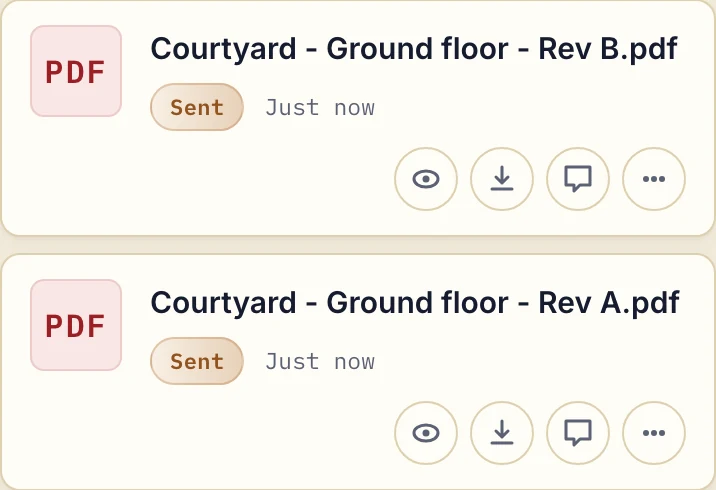
Actual product view with fictional demonstration sheets, captured 20 September 2026.
Upload order does not establish the current revision. There is no drawing register, automatic superseded label, revision comparison or markup layer. A comment names a sheet or detail in text; it is not a pin on the drawing.
Keep questions and decisions with the reviewed file
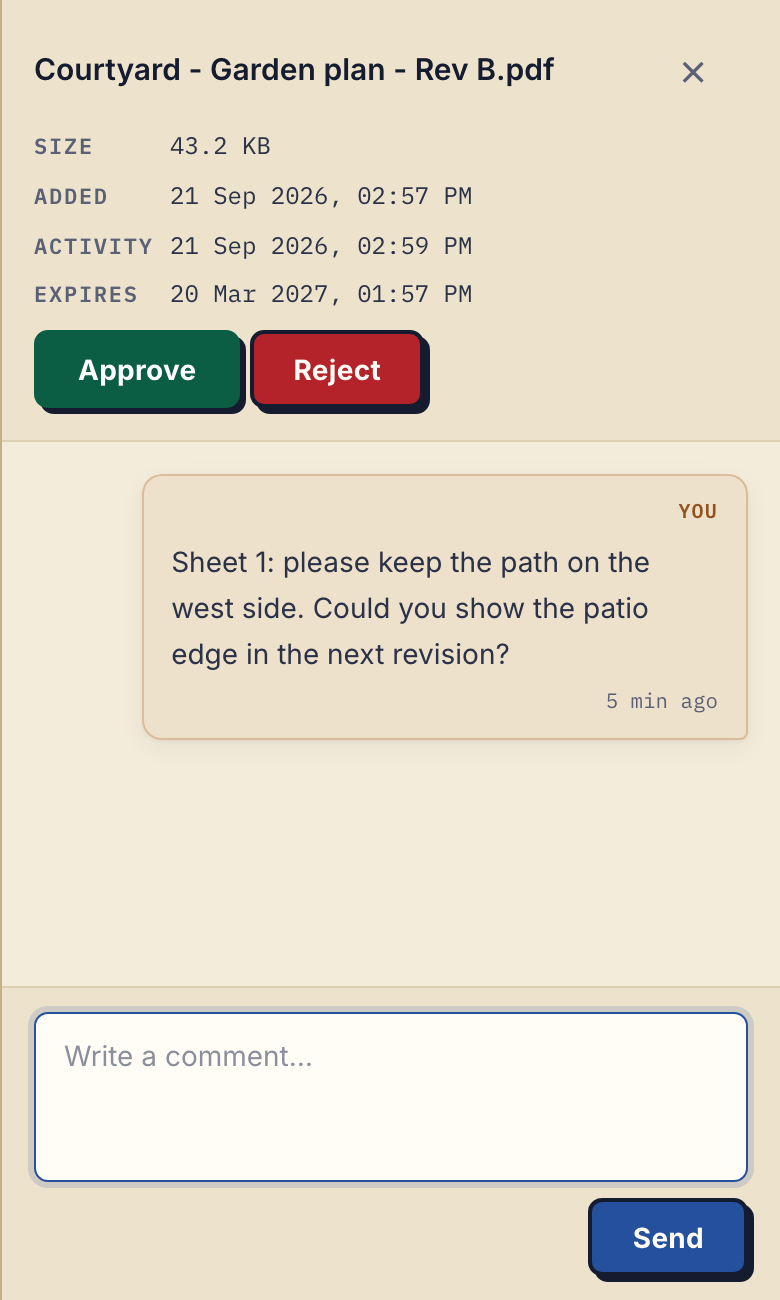
Open the full-size plan comment.
Actual product comment on a fictional exported garden plan. The same file-comment controls apply to an architectural PDF; this is not CAD review or a customer project.
For schematic design, ask which concept should move forward. For design development, name the revised set and outstanding questions. At construction handoff, state which exports you are issuing and keep coordination in your project system. If that system should hear about new uploads or comments, Droplana can send signed webhooks to it, or an automation tool can connect through its MCP server. The professional-services file guide covers the wider document handoff.
Approved and Rejected are reversible file markers: either side can set or clear them. There is no Awaiting approval state, and a marker does not prove that work was inspected, understood or accepted under a contract. Keep any formal milestone-approval process your project requires.
Decide who can see the drawing set
Clients do not create a Droplana account. Strict mode is the default and requires email verification on a new device. One portal belongs to one client; contacts added to it share its files, without per-project or per-file access roles. For several projects with the same client, include the project in every filename. Naming does not create project isolation.
Do not advise clients to forward the portal address as access for a contractor. In Strict mode, add an authorised contact only if they may see that client's whole portal. Otherwise exchange the authorised exports separately. Revoking access cannot recall copies already downloaded.
Files are stored in Germany and encrypted at rest, but hosting location alone does not settle your project confidentiality requirements.
Try one drawing handoff
Free includes 3 clients, 2 GB total storage and 100 MB per file. Solo costs €19/month plus tax for unlimited clients, 50 GB total and 1 GB per file. Clients do not pay. Compare the other plans and annual billing on the pricing page.
Practice allows 2 GB per file; Studio allows 5 GB. A Storage addon on a paid plan adds 500 GB and raises the file limit to 5 GB. Measure your actual exported files before choosing a plan.
Free keeps each file for up to 180 days from upload. Active paid plans have no plan-imposed retention limit, subject to expiry settings, deletion and cancellation. Keep required long-term copies separately; a persistent portal address is not an archive.
For a print handoff, tell the recipient the intended sheet size and scale. Check the exported PDF before sending it, and ask which named revision they opened if a question refers to an unexpected detail.
Use the architects workflow to try one drawing, one returned site document and one question before moving a client's exchange.
Questions before you start
Does Droplana identify the latest drawing revision?
No. Upload each revision as a separate file, name it clearly and tell the client which file to review. Upload order does not identify the current drawing.
Can clients comment on CAD or BIM models?
Droplana does not provide CAD or BIM review, annotations or drawing comparisons. Export a PDF or image and ask for a text comment naming the sheet and detail.
What is the drawing upload limit?
Free allows 100 MB per file, Solo 1 GB, Practice 2 GB and Studio 5 GB. A Storage addon on a paid plan raises the limit to 5 GB.