
Stop chasing documents over email
Collect receipts and statements, see what is missing, and send finished accounts back through the same private client portal.
Droplana is a client document portal for accountants, bookkeepers and tax firms. Give each client one private place to send statements and receipts, answer questions on a file, and receive finished accounts. The portal stays familiar from one period to the next; file retention depends on your plan.
Clients need no account and no app. On a new device, the default Strict setting verifies their email. Your files are hosted in Germany, with a DPA available on every plan.
A missing document. A clear request. A reply in the right place.
Follow a month-end exchange between Ledger & Oak Accounting and Maple & Vine Bistro. These are real app screens with fictional demo data.
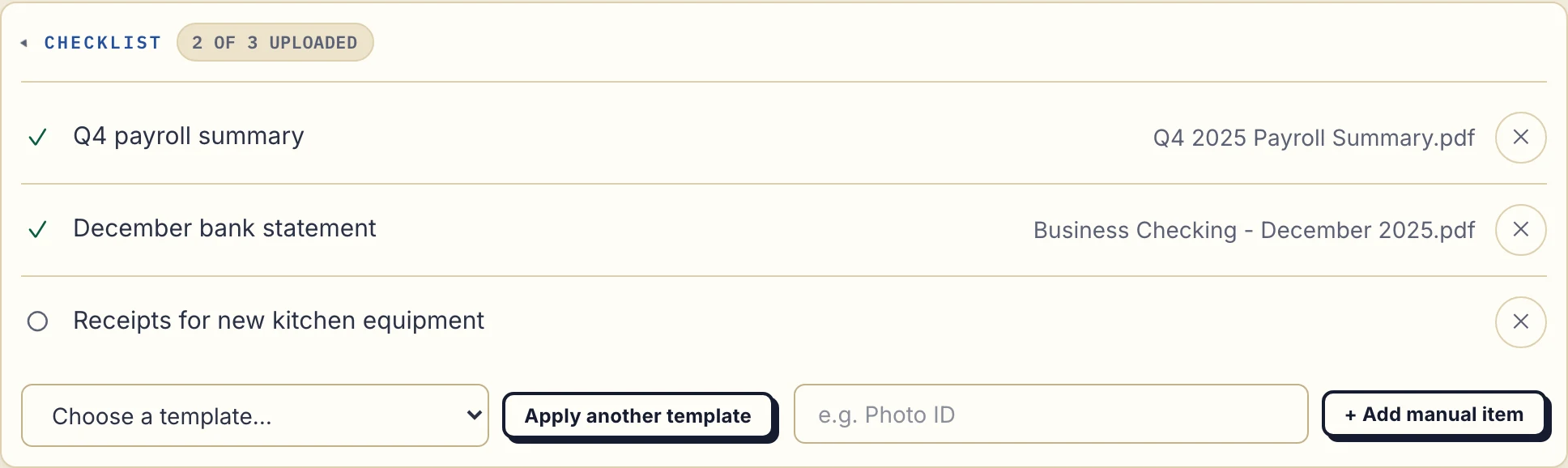
1. Ask for the documents you need
The payroll summary and bank statement have arrived. The equipment receipts are still missing. Your client sees the same request list in their own portal.
2. Your client opens the emailed link
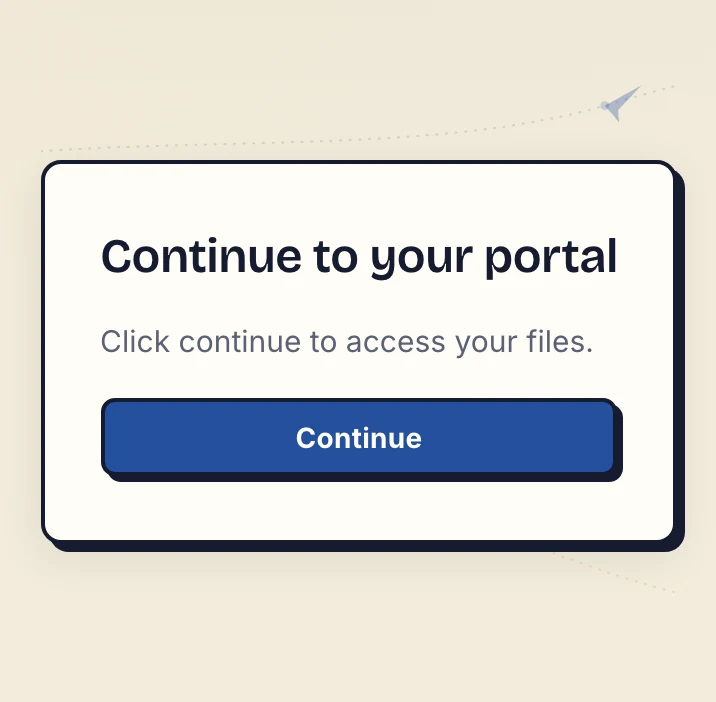
On a new device, the default Strict access mode verifies the client's email. They open the link sent to that address and select Continue. There is no client account, password or app to create.
The verified browser is remembered for 90 days. That access period is separate from how long a file is kept.
3. They upload a file or photograph the paper
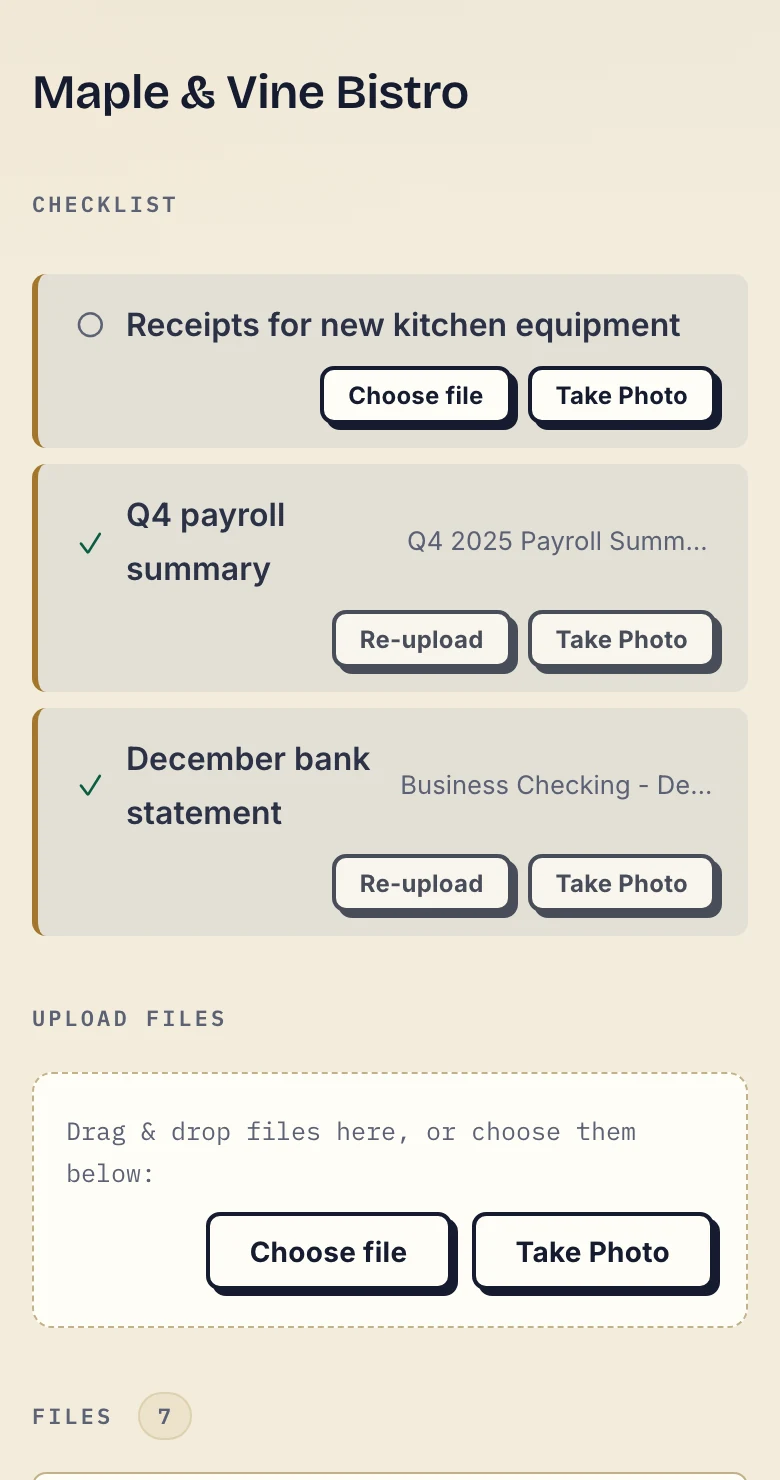
The missing receipt has a Choose file button and, on a phone, Take Photo. Your client can respond where the request appears instead of starting another email thread.
Ask for every page and a readable image. A successful upload tells you a file arrived; you still review whether it is the right document.
4. Explain a correction and send work back
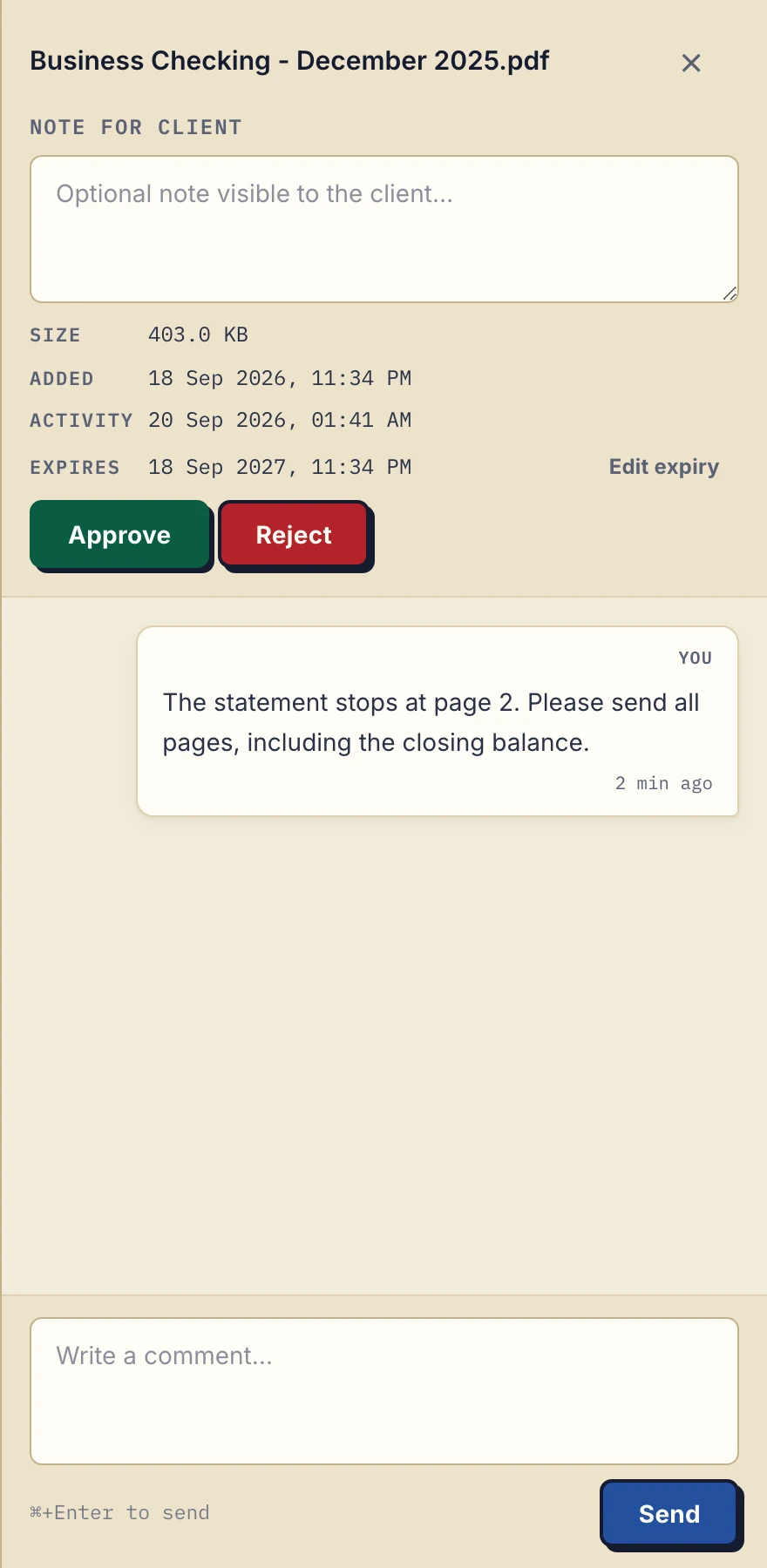
A statement is incomplete. Leave the correction on that file: “Please send all pages, including the closing balance.” The client can find the request beside the document.
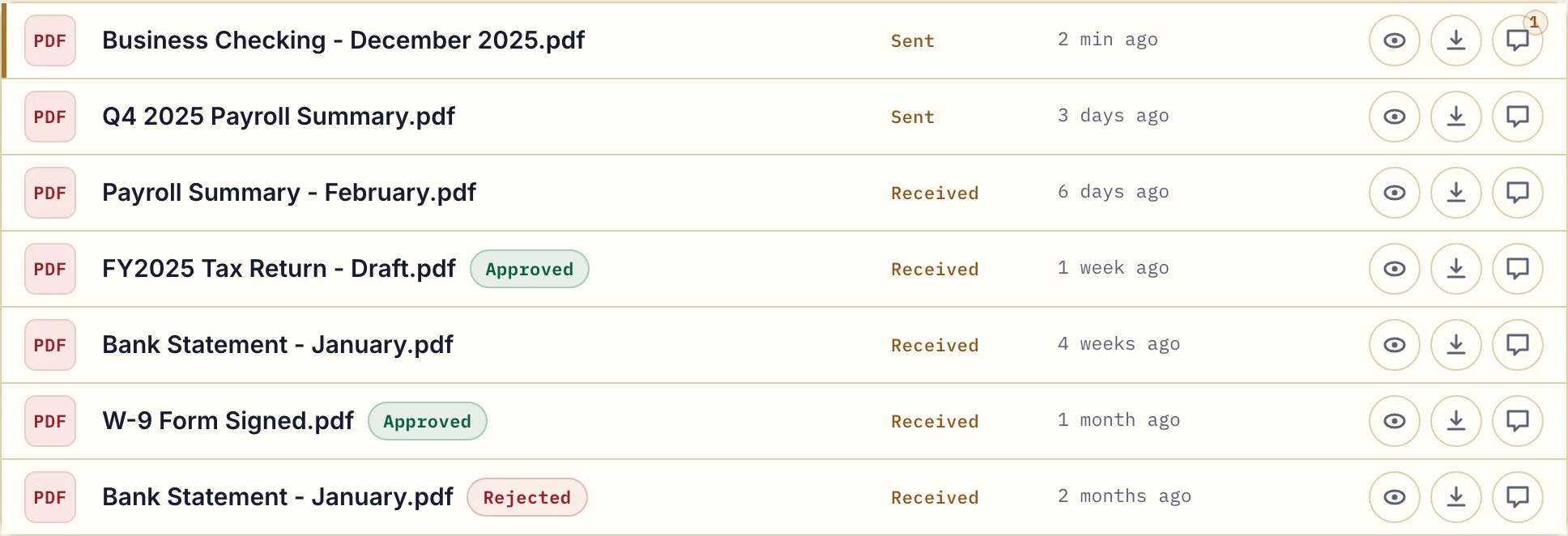
When your work is ready, upload the report or return to the same portal. Files go both ways. Either side can mark a file Approved or Rejected; that status is not proof of reading or a signature.
A checklist the client can see
List what you need for the period: bank statements, sales invoices, purchase receipts, payroll records. The client sees each item as missing or provided, and so do you.
Reminders you don't write
If a client goes quiet for 7 days with items still missing, Droplana emails them the list. After 14 days, the reminder comes to you. On by default, and you can turn it off.
Receipts photographed, not scanned
Clients upload from a computer, or tap Take Photo on their phone and photograph a paper receipt or letter. No scanner and no app.
Returns delivered to the same place
VAT returns, annual accounts and financial statements go into the client's portal, with a comment on the file if it needs one. Download counts record downloads, not whether someone read the document.
A client portal for accounting month-end
For September's close, ask for the September bank statement with every page, sales invoices, purchase receipts and the payroll summary. Name the period in each checklist item so last month's statement does not look like the right answer.
- Request the documents. Copy the accounting document request and adapt the dates and list. Save a document checklist template for the next client or period.
- Explain where to send them. Adapt the client portal invitation with the client's portal address. Tell them to expect email verification on a new device and ask for the first document.
- Review and return. Check the files, comment on missing pages and upload the finished accounts to the same portal. Use in-browser PDF signing when appropriate; it is not a qualified electronic signature.
Both templates are editable text downloads, with no signup required. For a printable list and guidance, use the client onboarding checklist. For a difficult request, see how to collect documents from clients.
Does it fit your existing tools?
Keep your accounting and tax software. Droplana handles the document exchange, with no CRM, time tracking or billing, and no connector that files documents into your other tools. If you work with an AI assistant, it can connect through Droplana's MCP server to see which clients still owe documents and remind them, without reading the documents themselves.
For help comparing options, see the client portal guide.
Security and data protection
Each client sees only their own portal. Files, comments and metadata are stored in Germany, with files encrypted in transit and at rest per file. A DPA is available on every plan. Read the security details, including the limits of the protection, before deciding whether it meets your firm's requirements.
The account owner can export an activity log as CSV, including uploads, downloads, comments and approvals. See the activity and export instructions.
Pricing
Free
€0/month
Just you
3 clients
2 GB storage
Up to 100 MB per file
Solo
€19/month
€190/year
Just you
Unlimited clients
50 GB storage
Up to 1 GB per file
Practice
€49/month
€490/year
Team size: 5
Unlimited clients
250 GB storage
Up to 2 GB per file
Studio
€99/month
€990/year
Team size: Unlimited
Unlimited clients
1 TB storage
Up to 5 GB per file
On Free, each file expires 180 days after upload. Your clients and their access stay active, so you can keep sharing new files. Active paid plans have no plan-imposed retention limit. Expiry settings, deletion and cancellation rules still apply; a persistent portal address does not guarantee permanent file availability. Team sizes include you. No setup fees or automatic overage charges. Prices exclude applicable tax.
Compare plan detailsQuestions before you start
Can clients upload documents to me through Droplana?
Yes. That is the main use for accounting firms. Clients upload bank statements, invoices, receipts and payroll records to their own private portal, from a computer or by photographing paper with their phone. A document checklist shows them which items are still missing.
Does Droplana remind clients about missing documents?
Yes, by default. If a client does nothing on a checklist for 7 days while items are still missing, they get an email naming those items. If another 7 days pass, the reminder comes to you instead, so you can follow up yourself. You can turn reminders off for your business.
How does Droplana handle GDPR, and is a DPA available?
Droplana is EU-hosted and GDPR-aligned, and operated by Ubique d.o.o., an EU company in Croatia. Files, comments and metadata are stored on Hetzner infrastructure in Germany, and files are encrypted at rest with a key derived for each file. The email and payment providers are EU companies and never receive file contents. A Data Processing Agreement is available on every plan, and Practice and Studio include a countersigned copy. Using Droplana does not make your practice compliant by itself; that depends on how your practice handles client data.
Is Droplana a replacement for my accounting or tax software?
No. Your accounting and tax software does the work. Droplana is the client-facing document layer next to it: clients send documents in, you send finished work back, with per-file comments for context. Files do not sync into other software automatically.
How much does Droplana cost for an accounting firm?
Free covers 3 clients with 2 GB of storage. Paid plans have unlimited clients and no per-client fees: Solo is 19 EUR a month with 50 GB and 1 seat, Practice is 49 EUR with 250 GB and 5 seats, and Studio is 99 EUR with 1 TB and unlimited team members, all plus tax. Annual billing costs 10 months' price.
Compared with what accounting firms use now
- Droplana vs SmartVault: a document management system built around US tax software, compared with a flat-priced EU portal.
- Droplana vs ShareFile: a broad document platform priced per employee seat, compared with a narrow client portal.
- Droplana vs a cloud drive: why shared Drive, Dropbox or OneDrive folders get messy with many clients.
- Droplana vs email: what changes when documents stop arriving as attachments.
Accounting firms often share clients with financial advisors, mortgage brokers and law firms, who collect many of the same documents.