
Your clients want updates. Stop texting photos.
The homeowner asks how it's going. You scroll your camera roll, text a photo, and a week later they ask again. Give every client one private link for photos, estimates and updates instead.
Droplana is a client portal for contractors and trades. Each client gets one private portal where you share estimates and progress photos, and they send back photos of the job, with no account or app to install.
All job photos in one place
Upload progress photos to the client's portal instead of texting them. No scrolling through chat history to find last Tuesday's update.
Clients see the job without calling
The homeowner checks the portal when they want an update. The photos are there, and you do not get interrupted on site.
Approval on the file
The client marks a completion photo Approved, or Rejected with a comment. The status sits on the file, not in a text saying "looks good."
Estimates and documents in one go
PDF quotes, warranty documents and contracts go into the client's portal once. The client can sign a PDF in the browser, with no printing.
No app, no account for your client
They open their portal and confirm their email once on a new device. No Dropbox account, no app installation.
Photos from the client too
Clients tap Take Photo in their portal and send you the leak, the crack or the meter reading before you drive out.
The problem with texting job photos
Every contractor knows this pattern:
You are on site. The homeowner texts asking how the bathroom is coming along. You take a quick photo and send it. Then they ask for another one from a different angle. Next week they want to see a comparison with the before. You search your camera roll going back two weeks for the "before" photo you took at the start.
Now repeat that across five active jobs.
Photos scattered across WhatsApp, iMessage and email are hard to keep in order, and they disappear into the recipient's camera roll. When the job is done and the client says something was not finished as agreed, you are left searching old chats.
A client portal fixes this by giving every client one place. Before photos, progress photos, completion photos, the estimate and the warranty sit in one portal, tied to that client.
A client portal for contractors, job by job
1. Share the estimate and ask for reference photos
Send the client their portal link when you confirm the booking. Upload a clearly named estimate such as Garden room - Estimate 02.pdf and ask them to comment on that file if the scope needs changing.
Ask them to upload photos of the existing space: the area you will work on, access points, anything you should see before you arrive. A document checklist lists those items, and the client sees what is still missing. If nothing happens for 7 days, they get an email reminder.
On a phone, the client can choose existing images or tap Take Photo.
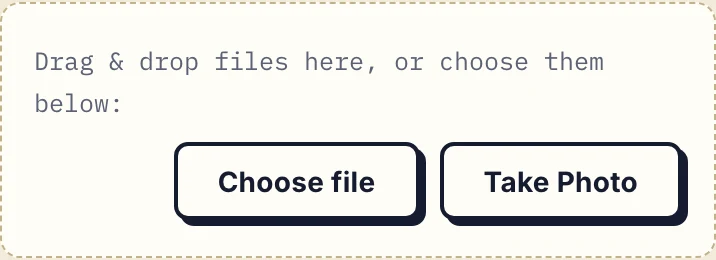
Actual client portal at phone width.
2. Return a dated update after each visit
Upload your site photos and a short written update. Put the job and date in each file name so the client can tell which visit it belongs to. If they have a question, they leave a comment on that photo and you reply there.
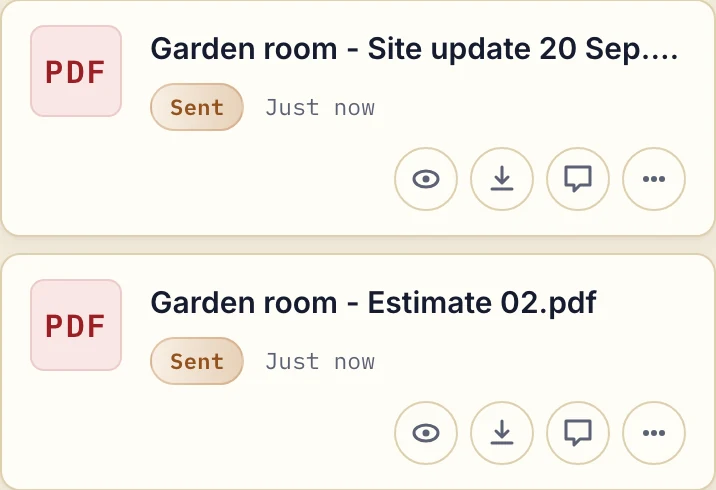
Actual app with a fictional estimate and written update.
Use this message with the files:
Update for [job], [date]: [work completed]. I have uploaded [photo names] and [estimate/update file]. Next planned step: [step]. Please reply on [file] about [specific question] by [date]. I will confirm any schedule change separately.
Download the editable progress-update message and remove any section that does not apply to the job.
3. Hand over at completion
Upload the completion photos. The client reviews them and marks them Approved, or Rejected with a comment on what still needs doing. Then share the warranty documents, maintenance instructions and anything else the client needs to keep.
For a changed estimate, upload a new file such as Garden room - Estimate 03.pdf and say what changed in a comment. The earlier estimate stays; there is no automatic comparison between the two.
Common contractor use cases
Renovation and remodelling
Before demolition photos, structural work in progress, finishes, completion walk-through. Clients who are not on site every day, especially remote owners, can follow the project without calling.
Tilers, flooring and painters
Before and after comparisons. Multiple rooms at different stages. Colour choices agreed on a file before materials are ordered.
Plumbers and electricians
Share photos of the problem found, the work in progress and the completed fix. Upload compliance certificates or warranty documents. Clients have them without digging through their inbox.
Landscaping and garden design
Design plans, progress photos, planting lists, completion shots. Before and after comparisons in one place.
HVAC and maintenance
Inspection photos, fault documentation, completed-work photos, service reports. Every client's portal builds up their service history over time.
Roofers and cladding
Photos of the existing roof, work in progress, final inspection. Clients who cannot see the roof themselves can follow the whole job.
Why agreement on the file matters
A text message saying "great, thanks!" gets lost. Three months later, when a client says a particular element was never finished, you want something easier to find than a chat log.
A client marking a specific photo Approved in their portal is easier to point to, because the status and any comment sit next to the photo. Either side can change or clear a status later, so it does not replace a contract. When you need a signature on a completion form, use in-browser PDF signing, which records who signed and when. It is not a qualified electronic signature.
Every photo and document is encrypted at rest with a key derived for that file, and files are stored in Germany. The security page has the details. If you're still weighing whether a dedicated portal is worth the switch from texting and email, the client portal guide covers when it makes sense, and file sharing without WhatsApp covers what to do with the job photos already buried in chat threads.
When Droplana is not the right fit
- You need job scheduling, quoting or invoicing software. Droplana has none of these.
- You want photos to sync automatically from your phone's camera roll. You upload the photos you choose.
- Your crew needs a shared internal chat. Comments are per file, between you and the client.
- One client with several jobs shares one portal, so name files by job and date.
Architects often hand over to contractors on the same project. The page for architects shows how they use a portal for drawings.
Check our simple pricing (or start free)
Free covers 3 clients, 2 GB total storage and files up to 100 MB. Solo is €19/month plus tax, with unlimited clients, 50 GB storage and a 1 GB file limit.
The tools you need, on every plan.
Share files, leave comments, request documents with checklists and sign PDFs in your browser. Your logo is included too.
Clients never pay or create an account. EU hosting, encryption and data export included.
Save 2 months with annual billing
Free Start here
For your first 3 clients
€0/monthNo credit card required
- Just you
- 3 clients
- 2 GB storage
- Up to 100 MB per file
- Files kept for 6 months
Solo
For independent professionals
€19/month+ tax
€190/year+ tax
- Just you
- Unlimited clients
- 50 GB storage
- Up to 1 GB per file
- Email support
Practice
For small firms
€49/month+ tax
€490/year+ tax
- Team size: 5
- Unlimited clients
- 250 GB storage
- Up to 2 GB per file
- Priority support
Studio
For growing teams
€99/month+ tax
€990/year+ tax
- Team size: Unlimited
- Unlimited clients
- 1 TB storage
- Up to 5 GB per file
- Priority support
- Personal setup call
On Free, each file expires 180 days after upload. Your clients and their access stay active, so you can keep sharing new files. Active paid plans have no plan-imposed retention limit. Expiry settings, deletion and cancellation rules still apply; a persistent portal address does not guarantee permanent file availability. Team sizes include you. No setup fees or automatic overage charges. Prices exclude applicable tax.
Compare plan details
| Included | Free | Solo | Practice | Studio |
|---|---|---|---|---|
| Team size | Just you | Just you | 5 | Unlimited |
| Clients | 3 | Unlimited | Unlimited | Unlimited |
| Storage | 2 GB | 50 GB | 250 GB | 1 TB |
| Maximum file size | 100 MB | 1 GB | 2 GB | 5 GB |
| File retention | 180 days from upload | No limit | No limit | No limit |
| Your Droplana address | Includes a random suffix | Your chosen name | Your chosen name | Your chosen name |
| Data Processing Agreement | Standard | Standard | Countersigned available | Countersigned available |
| Support | Priority | Priority | ||
| Personal setup call | Not included | Not included | Not included | Included |
Need more storage?
Add 500 GB for €15/month + tax, or €150/year + tax. Each storage add-on also raises your maximum file size to 5 GB.
Available on all paid plans from your billing page. Add more than one for another 500 GB each. Your team size stays the same.
Questions before the first job
Can clients send me photos through their portal?
Yes. Clients upload files to their own portal, or tap Take Photo on their phone, so they can send you photos of the problem, the existing space, or documents you need from them.
Do clients need to download an app?
No. Clients open their portal in any browser. There is no app to install and no account to create. Under the default Strict setting they confirm their email on a new device, and the browser is remembered for 90 days.
How do I get the client's approval on completed work?
Upload the completion photos and ask the client to review them. The client marks each file Approved, or Rejected with a comment saying what is still wrong. Either side can change or clear that status later, so for a formal sign-off form, ask the client to sign a PDF in the portal. The signature is recorded with who signed and when.
Can I share estimates and contracts through Droplana?
Yes. Upload any PDF, such as an estimate, quote, contract or warranty, to the client's portal. The client can comment on it, mark it Approved, or sign it with in-browser PDF signing, which records who signed and when. It is not a qualified electronic signature.
Are progress reports created automatically?
No. You write the update and upload the photos yourself. Droplana has no job scheduling, crew management or automatic progress reports.
Compare with other tools
vs. Notion
Compare Notion pages, forms and guest access with Droplana client document exchange. Check file limits, costs and a request-and-return trial before choosing.
vs. Assembly (Copilot)
Assembly, formerly Copilot, goes from $49 to $149 a month when a second person joins. Droplana goes from 19 to 49 EUR, with unlimited clients. Checked Sep 2026.
vs. HoneyBook
Compare Droplana vs HoneyBook for one service business: annual costs, contract and billing boundaries, client access and a practical document exchange.
vs. SuiteDash
SuiteDash bundles CRM, projects, invoicing and a client portal. Droplana is only the document portal: one private portal per client, with no client account.