
How to Send Large Video Files to Clients
Check video export sizes before choosing client delivery. See Droplana’s 100 MB to 5 GB file limits, fit examples and a clear download-and-feedback flow.
Illustrative example: Examples use fictional deliveries. Product captures show the real application with fictional data.

To send large video files to clients, export the agreed format, check the actual file size and choose a service that can accept every deliverable. Droplana supports 100 MB per file on Free, 1 GB on Solo, 2 GB on Practice and 5 GB on Studio. A paid-plan Storage addon raises the limit to 5 GB; nothing raises it beyond that.
Droplana is a client document portal for two-way file exchange. It can deliver suitable video exports alongside briefs, release forms and feedback. It is not a streaming review, transcoding or backup service. If your deliverable is one 12 GB master, choose another delivery method.
How to send large video files: check the export first
Resolution alone does not determine size. Check the exported file rather than assuming that “4K” will fit. Duration, bitrate, audio and encoding settings all affect the result.
These are illustrative measured-size scenarios, not expected sizes for a particular codec:
| Delivery file | Example size | Fit in Droplana |
|---|---|---|
| Short preview export | 80 MB | Free or a paid plan, with storage available |
| Edited highlight reel | 700 MB | Solo or above |
| Longer final export | 1.5 GB | Practice, Studio or a paid plan with a Storage addon |
| Full-resolution deliverable | 4 GB | Studio or a paid plan with a Storage addon |
| Single camera master | 12 GB | Does not fit any plan |
The limit applies to each file, not the whole project. Several files can fit individually but exceed your remaining account storage. Check both before agreeing the delivery.
1. Agree the format and viewing method
Ask whether the recipient needs a lightweight viewing copy, a final export for publication, or source material for another editor. Do not lower quality silently to make an oversized file fit. Agree a different export or use a service that supports the original.
Plan for the client to download the video and open it in compatible playback software. Use a dedicated review tool when you need frame-accurate annotations, timed review threads or streaming playback. Droplana's comments are text attached to a file, not a video timeline.
2. Keep the delivery package clear
For a fictional wedding delivery, name the files Wedding-Highlights-v02.mp4, Wedding-Delivery-Notes.pdf and Music-Credits.pdf. Tell the couple which video is ready for download and which is awaiting a response. Keep any oversized ceremony master in the separately agreed delivery location.
Droplana gives each client one portal. Existing and new projects for that client share the space. Use project and revision names instead of treating every upload as “final”. The general large-file guide covers document and asset packages.
3. Send access instructions with the delivery
Clients create no account. In the default Strict mode, they verify their email on a new device; a verified browser is remembered for 90 days. That access period is separate from file retention.
The business signs in to upload; clients use their portal to download or send files back when uploads are enabled. An illustrative message:
Wedding-Highlights-v02.mp4 is ready to download. Please watch the downloaded file and leave one comment here with any changes, using times such as 00:42 to identify a moment. Upload your corrected credits document here too. Please save your copy by the agreed delivery deadline.
A time written in a comment is a manual reference. It does not create a linked video annotation.
4. Collect feedback on the right file
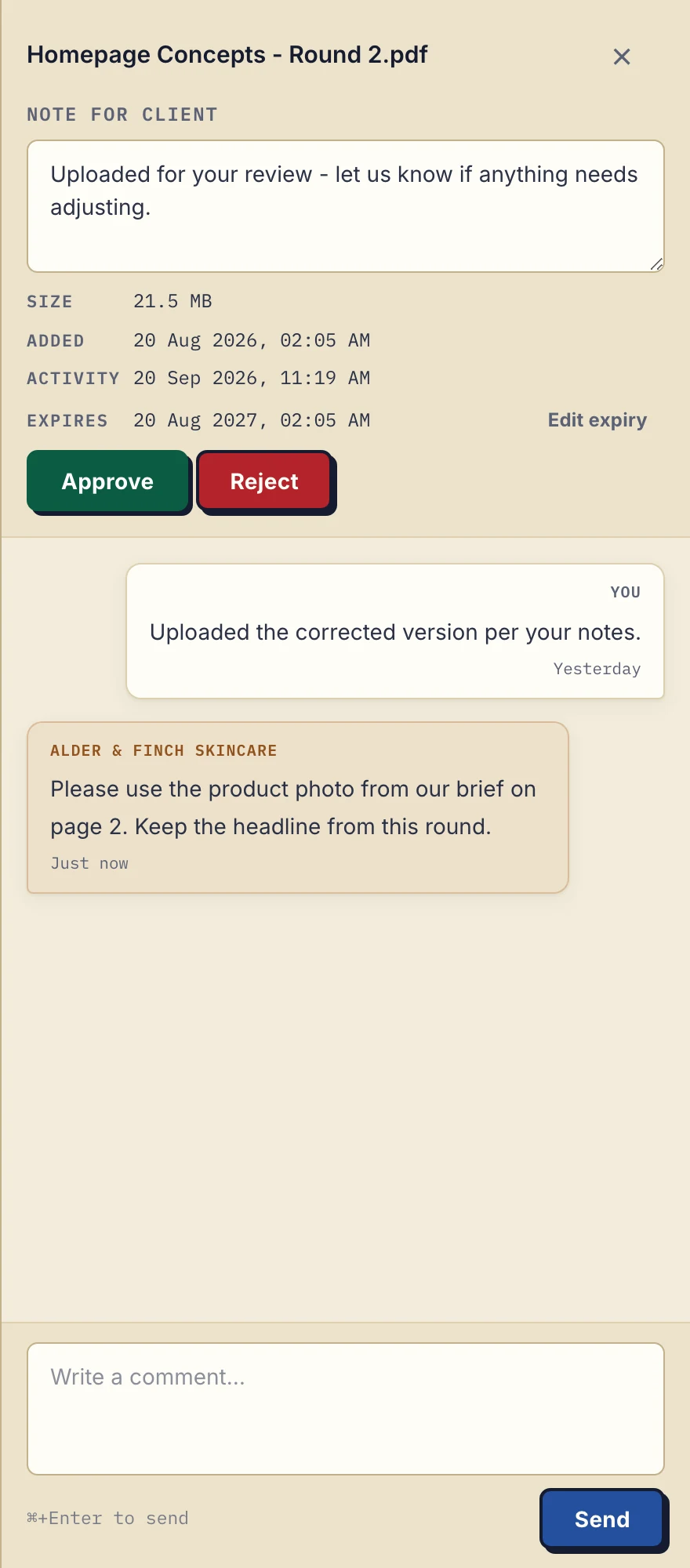
Product demonstration with fictional design data: this PDF sidebar shows the file-comment controls. It does not demonstrate video playback or timed annotations. View the full-size demonstration.
Upload Wedding-Highlights-v03.mp4 separately after making edits in your editing software. Explain that it supersedes v02. Droplana does not transcode the upload, merge notes between revisions or automatically replace the earlier file.
Approved and Rejected are changeable file markers. A download event records a download, not that the person watched the video or approved the work.
Costs and availability
Solo costs €19/month or €190/year + tax with 50 GB total storage. Practice is €49/month or €490/year + tax with 250 GB; Studio is €99/month or €990/year + tax with 1 TB. A Storage addon costs €15/month or €150/year + tax for another 500 GB and a 5 GB file ceiling. Free includes 2 GB total storage and three clients.
Free keeps each file for up to 180 days from upload. Only those files expire; the client, portal access and Free account stay active. Active paid plans have no plan-imposed retention limit, subject to expiry settings, deletion and cancellation. A persistent portal address is not a promise of permanent file storage. Agree an availability period and keep a separate archive.
Where Droplana fits
Use it for recurring delivery of exports that fit, especially when briefs, documents and client replies belong together. A shared drive or specialist transfer service may suit a production team already working from large shared assets. Keep source footage and backups outside the client portal.
Questions before you start
Can I send a video larger than 5 GB?
No. Five gigabytes is the per-file ceiling, including with a Storage addon. Agree a smaller export that still meets the brief, or use another service for that file.
Can clients leave comments at specific video frames?
Droplana provides text comments on a file, not frame-linked video annotations. A client can type a time reference after watching a downloaded video; use a dedicated review tool for a video timeline.
Will the video remain available indefinitely?
Free files last up to 180 days from upload. Active paid plans have no plan-imposed retention limit, subject to expiry settings, deletion and cancellation. Keep a separate archive and agree a download deadline.
See Droplana for photographers and videographers to try a delivery that fits your export sizes.