
Your first client exchange, step by step
Set up your first Droplana client portal, request documents and send work back. Includes a separate client guide to email verification, uploads and signing.
Updated
Droplana keeps the documents you send and receive in one private portal per client, and your clients open it without creating an account. This guide starts with one ordinary document request, then shows what your client does on their phone.
Setting up your business? Start with the first-client quick start. Received an invitation? Go to the client guide. You do not need to create a client account or install an app.
First-client quick start
1. Create your business account
Sign in with an emailed magic link, Google or a connected Microsoft account, and choose your business name.
Droplana has no passwords. Business email magic links are valid for 15 minutes. Connecting Microsoft requires a code sent to the Droplana email address you want to use; it does not rely on the address displayed by Microsoft.
Free includes 3 clients, 2 GB total storage and files up to 100 MB, kept for up to 180 days after upload. Its business address includes a random suffix. Solo, Practice and Studio get a clean subdomain without that suffix. A persistent portal address does not mean files stay forever.
2. Create the client portal
Choose New Client, enter the client name and check the slug used in the link.
The slug is the readable part of the client address. You add authorized email addresses separately through Share. Use your own second email address for a trial before inviting a real client.
One client portal is shared by its authorized contacts and your business team. It is separate from other clients' portals. It does not have per-file access rules or restricted teams within the business.
3. Request a document
Add a checklist item naming the document and period you need.
For example: “Equipment receipts for August.” Use a saved checklist template when the same request fits another client; review its items before sending. Templates do not create a recurring monthly request automatically.
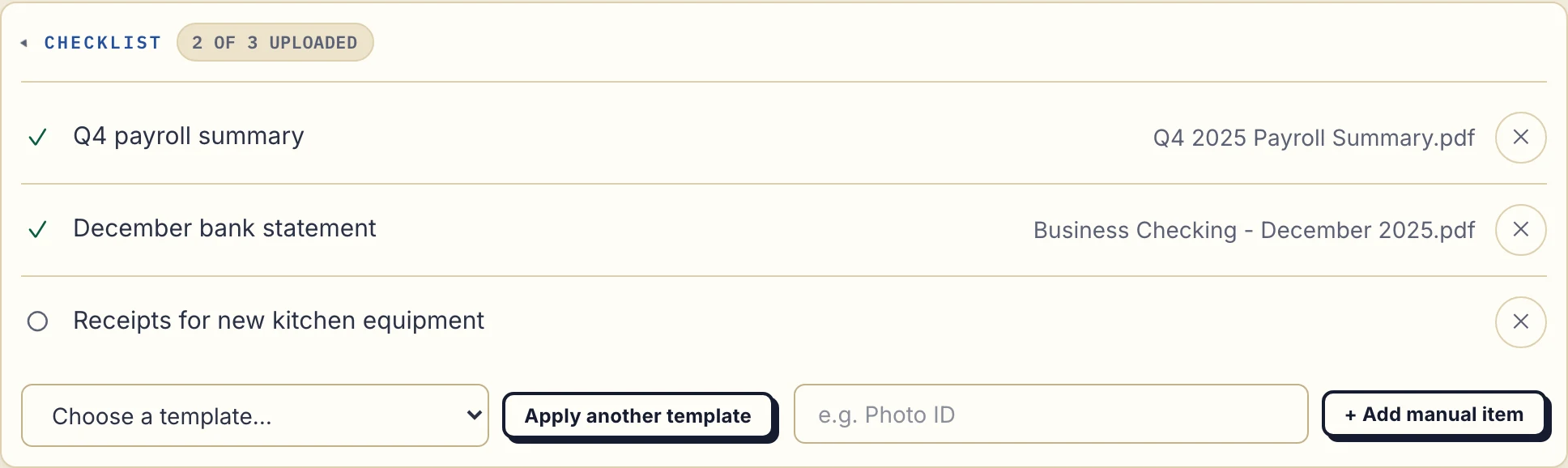
Actual business view, cropped to the checklist, using fictional Maple & Vine Bistro data. Inspect the screenshot at full size.
4. Invite the client
Open Share, add the authorized email address and choose Add & Send to send a magic link.
Strict access is the default. A client verifies an authorized email when entering from a new device; the browser is then remembered for 90 days. That remembered-device period is separate from file retention.
Tell the client what you need and link to the client guide below. Do not ask them to create a password. Google can use an email already authorized for the client. Microsoft must first be connected by confirming an authorized address with an emailed code.
5. Check the reply and send work back
Review the uploaded file, leave any correction as a file comment and upload your deliverable to the same portal.
An upload means a file arrived; it does not mean its contents are complete or approved. If a statement is missing a page, comment on that file and request a complete replacement. A replacement upload creates another file, not an automatic version history.
Either side can mark a file Approved or Rejected, or clear the status. A rejected file remains in the portal. Explain the reason in its comments.
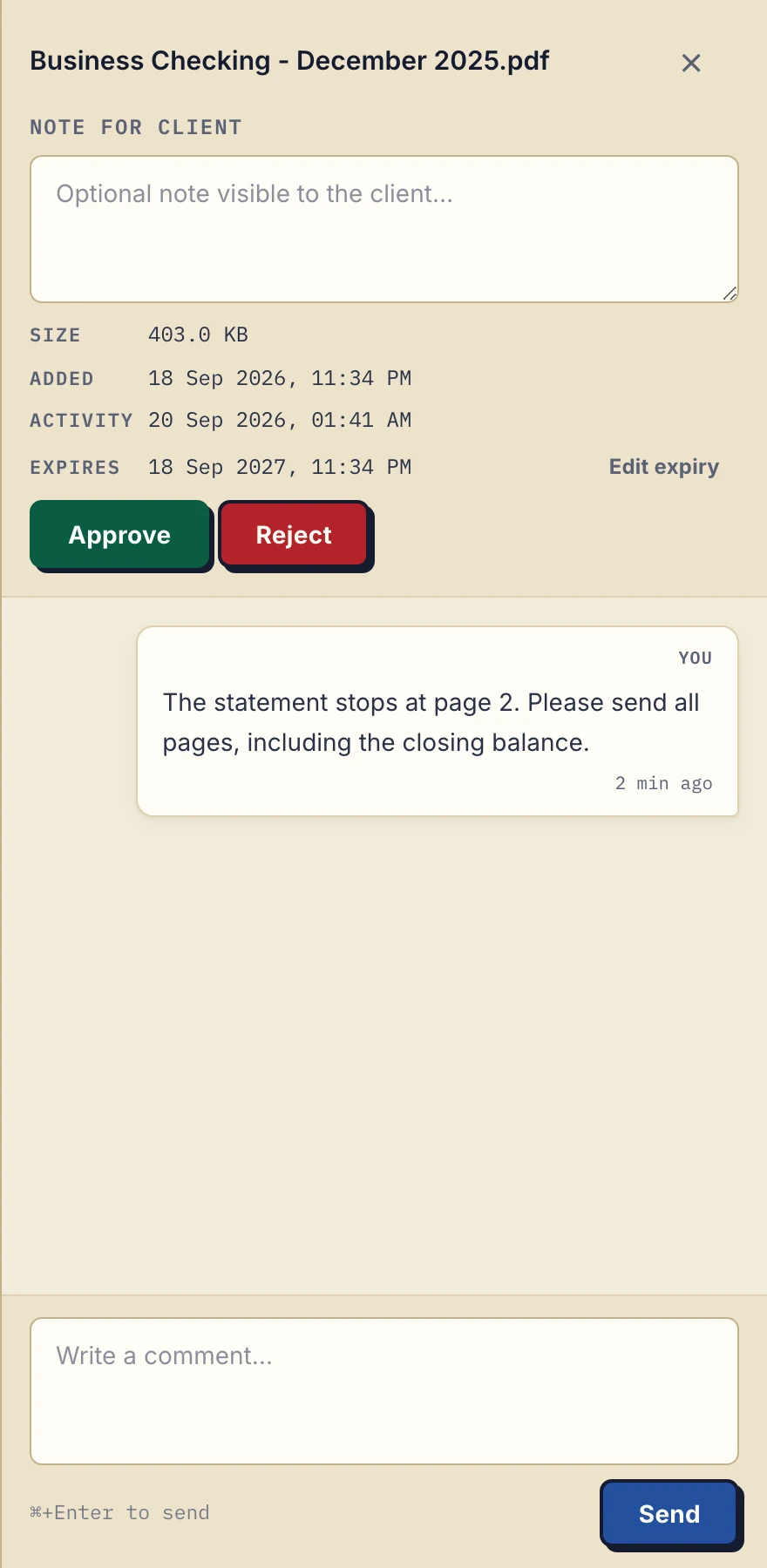
Fictional demonstration exchange in the real app. Inspect the comment screenshot.
Client guide
Your business contact has created a portal for you. The same place holds the files they send and the documents you return.
Open your invitation
Open the email link sent by the business. If the portal asks you to verify your email on a new device, use an address the business has authorized and follow the emailed link. No Droplana client signup, password or installed app is needed.
If you cannot get in, ask the business to check your authorized address or send a fresh link. Do not forward a private access link to someone else. Multiple people authorized for the same client share that client's documents.
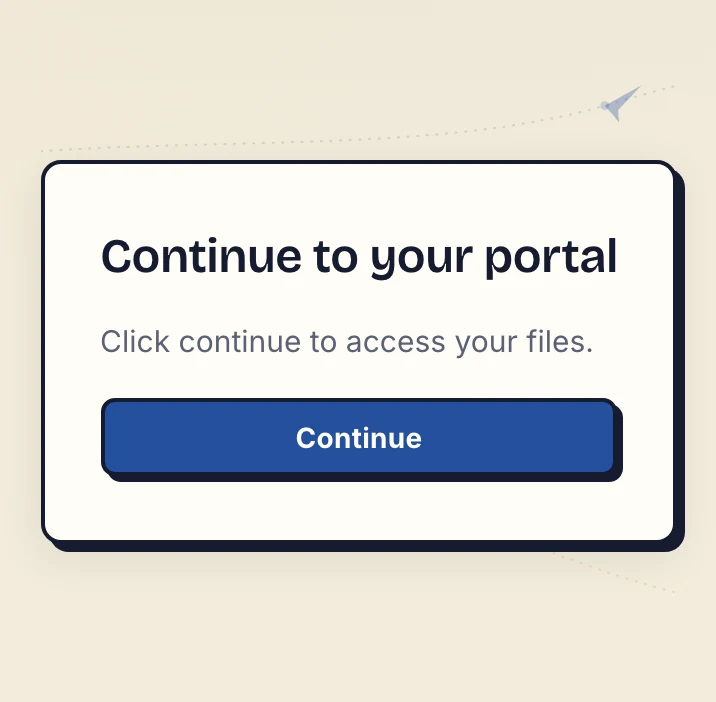
Actual confirmation screen reached from the emailed link, before entering the demonstration portal. Inspect the verification screenshot.
Upload the requested document
Find the missing checklist item and choose the file. On a phone, Take Photo lets you photograph paper. Check that all edges and text are clear before uploading; for a multi-page document, include every page the business requested. Uploading is available when the business enables it.
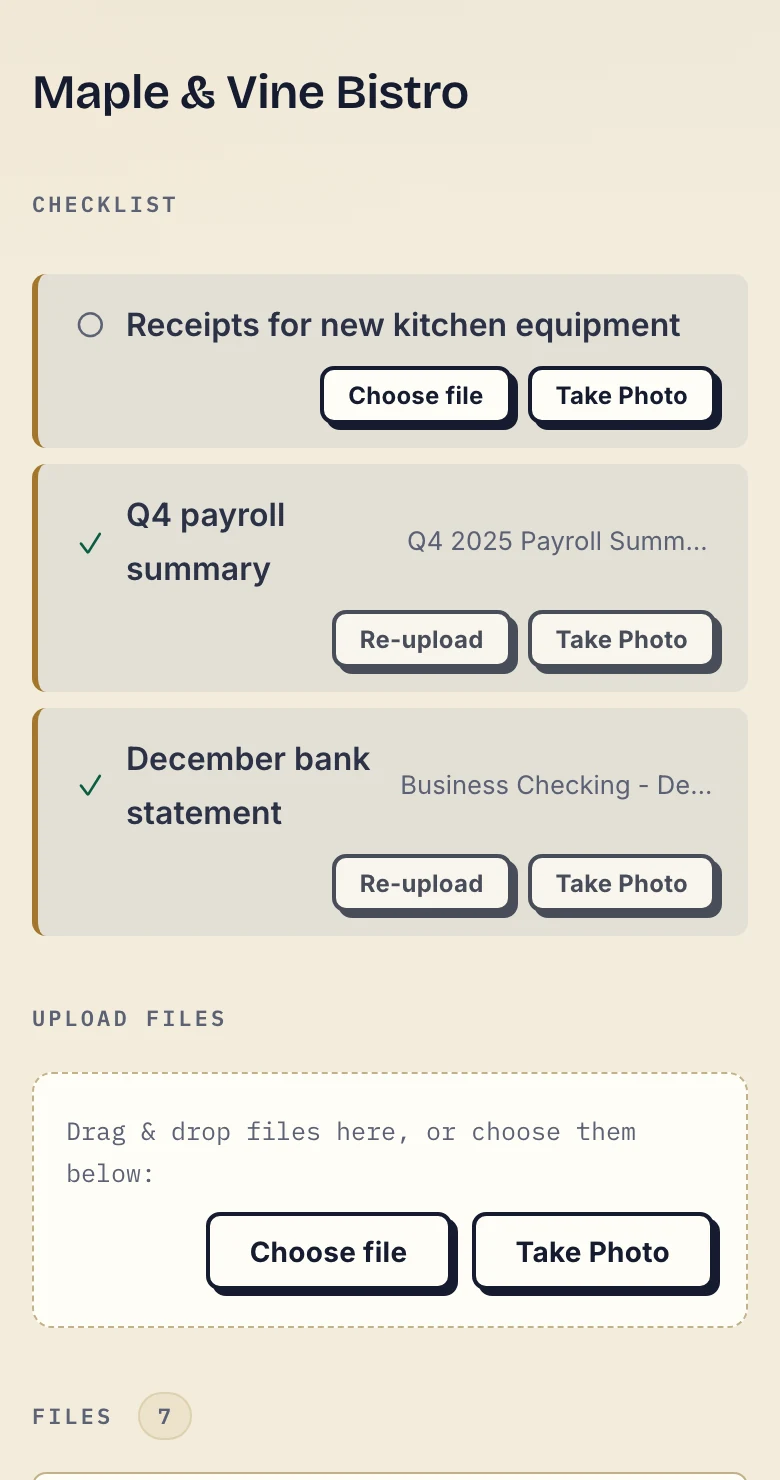
Actual phone view, cropped below the header, with fictional client data. Inspect the client screenshot.
Read a reply or download returned work
Open the relevant file to read its comments or add a clarification. Comments are visible to your business contact, their authorized team and other contacts on your client portal. Other clients cannot see them. An open comment panel refreshes periodically; reopen or refresh the portal to check files and status.
Download the work the business returns from the same portal. You can select several files for a download. Keep independent copies where your own record-keeping requires them.
Sign a PDF when asked
Open the PDF and choose Sign. Type, draw or upload a signature, place it on the page and save. This creates a separate signed copy beside the original.
You must be identified through an email magic link, Google or connected Microsoft account to sign, including on a remembered device. A permanent or one-time access link alone is insufficient. If Sign is unavailable, verify your email first.
The signing record is not a qualified electronic signature, independent identity check or notarisation. See PDF signing and verification limits.
Checklist due dates
A requested item can have an optional due date. The date is visible to both sides, and an open item past its date shows overdue. A due-date reminder is prepared two days before and on the date, is not sent once the item is fulfilled, and reaches the client with their next Droplana email, which can be later that day or the following day. The business can disable them business-wide or for one client; the client can opt out from the reminder email or portal. These are separate from the inactivity reminders below.
Access settings and reminders
| Setting | What it allows |
|---|---|
| Strict, the default | Verified email access on a new device; verified Google or connected Microsoft access also supported. |
| Controlled | One-time or email magic links, without permanent access links. |
| Relaxed | All supported link types, including permanent links, for less sensitive work. |
The business can revoke all client access immediately from Share. This ends active sessions and links. Sending a new magic link or generating a new access link afterward restores access.
Checklist stall reminders are on by default and can be disabled for the business. With missing items and no client activity for 7 days, the client receives one reminder naming the items. At 14 days, the reminder goes to the business. Each stage sends once per stall; further client activity can start a new stall if items remain missing. It is not a repeating daily chase or configurable workflow. See document checklists.
Team access, branding and records
Practice supports 5 team seats including the owner; Studio supports unlimited seats. Invite each colleague using their own email address. Free and Solo have only the owner's seat. Members share the business's clients, files, comments and statuses, but do not manage billing or team membership. Team access lists everything that stays with the owner.
A logo is available on every plan. It appears in the business dashboard and client portals. This is not white-label branding: there is no custom domain, and the footer retains a small Droplana line.
The owner can view and export the activity trail from Account → Activity. It includes logins, portal visits, uploads, downloads, deletions, comments and approvals. Account data exports as JSON; the activity trail exports as CSV.
File limits and exports
Free files expire up to 180 days after upload; the client and portal access remain. Active paid plans have no plan-imposed retention limit, but explicit expiry, deletion and cancellation rules still apply. Droplana is not a permanent archive or backup service.
Storage is shared across the business. At the limit, new uploads stop; reaching the limit does not itself delete existing files. Paid-plan Storage addons add 500 GB each and raise the per-file ceiling to 5 GB. Compare all allowances and cancellation rules on pricing.
Free
€0/month
Just you
3 clients
2 GB storage
Up to 100 MB per file
Solo
€19/month
€190/year
Just you
Unlimited clients
50 GB storage
Up to 1 GB per file
Practice
€49/month
€490/year
Team size: 5
Unlimited clients
250 GB storage
Up to 2 GB per file
Studio
€99/month
€990/year
Team size: Unlimited
Unlimited clients
1 TB storage
Up to 5 GB per file
On Free, each file expires 180 days after upload. Your clients and their access stay active, so you can keep sharing new files. Active paid plans have no plan-imposed retention limit. Expiry settings, deletion and cancellation rules still apply; a persistent portal address does not guarantee permanent file availability. Team sizes include you. No setup fees or automatic overage charges. Prices exclude applicable tax.
Compare plan detailsDownload selected files or a client's files as a ZIP, including a JSON record of items and comments. The owner can export the whole business. Clients can download their own files. ZIP supports up to 2 GB or 2,000 files; above that, use folder download in Chrome, Edge or another Chromium browser. Folder download is not supported in Firefox or Safari. Export and download explains each option and what the JSON record contains.
Verify downloaded files and exported records before closing an account. Account deletion also removes signature records; public verification does not survive it.
Templates for your next exchange
These editable text templates are manual aids. Replace the brackets and check the details for the client before sending.
- Client document update: name the file, change and response needed.
- File naming convention: label periods and revisions.
- One-client migration checklist: move active files manually and verify the result.
- File export checklist: check files, account JSON and activity CSV separately.
For a printable request list and first invitation, use the client onboarding document checklist. For another product question, open the FAQ; for access and hosting details, read security.