
Your client opens the portal without a password.
You choose how strict access is. Clients verify their email, or sign in with Google or Microsoft, and the browser is remembered after that.
Product demonstration: Screenshots show the actual app with fictional client data. They are not customer results.
Droplana is a client document portal: each client gets one private portal where you send documents and they send files back, with no account to create and no password to remember. You decide how strict the way in is. By default a client verifies their email on a new device; they can also sign in with Google or Microsoft, and the browser is remembered after that.
See the sign-in page
This is what a client of a fictional accounting firm sees on their phone when they open the portal on a new device. The firm's logo is at the top. The client types their email for a sign-in link, or continues with Google or Microsoft.
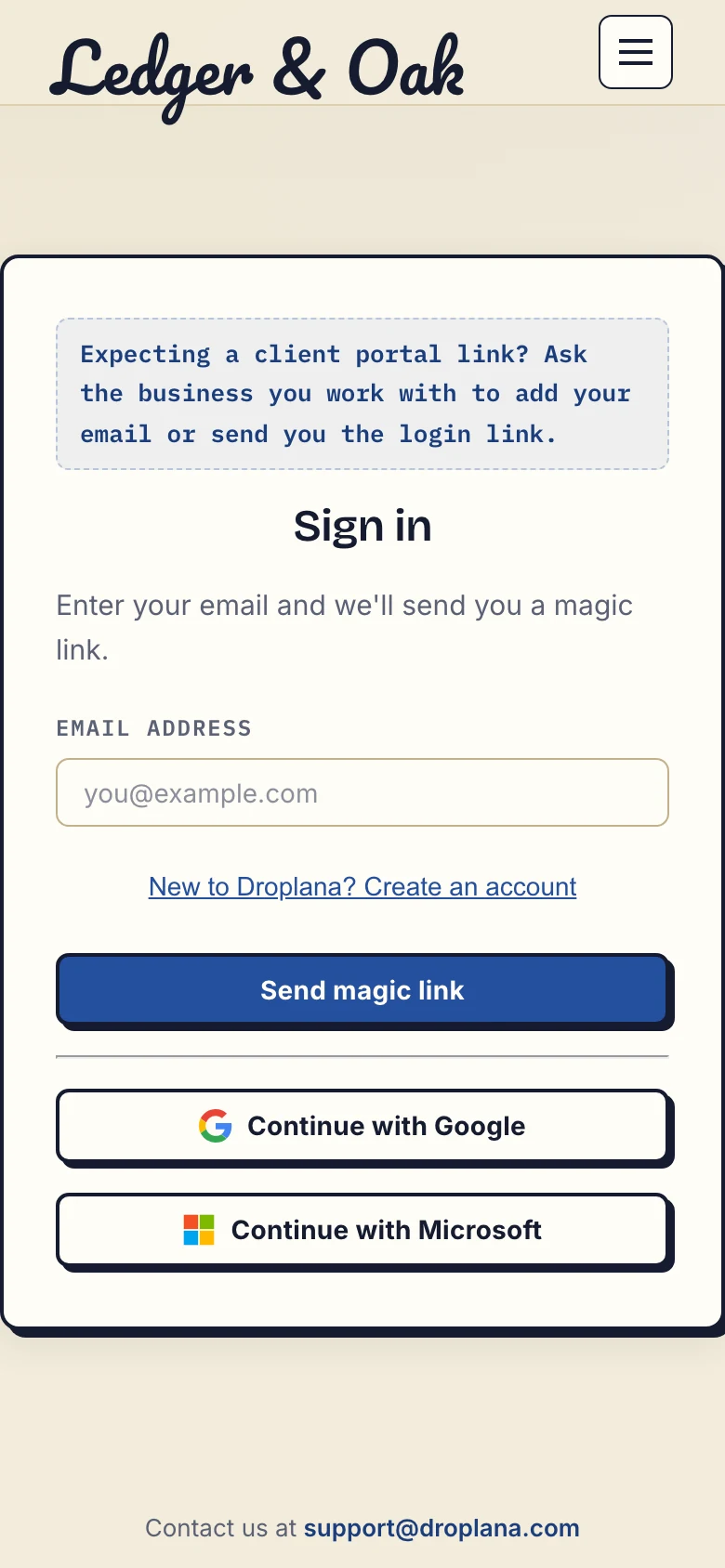
Real phone view of the sign-in page with fictional Ledger & Oak branding. Inspect the sign-in screenshot at full size.
Three access levels
The level applies to your whole business. A new account starts on Strict.
| Level | How a client gets in | Suits |
|---|---|---|
| Strict (default) | Email verification on each new device, or Google or Microsoft sign-in | Personal, financial and legal documents |
| Controlled | Also a one-time link you share, which works once | Clients who struggle with email links |
| Relaxed | Also a permanent link that opens the portal without verification | Less sensitive work, such as design drafts |
Tightening the level works at once, including for links you already sent: a permanent link stops opening the portal as soon as you leave Relaxed. A client who is already in stays in until that session ends; for an immediate cut-off, revoke access (below). If you go back to Relaxed, the same links work again.
After a client verifies their email, that browser is remembered for 90 days, so a returning client does not verify every time. A permanent or one-time link alone does not identify the client well enough to sign a PDF; in-browser PDF signing needs a verified email, Google or Microsoft.
Sign in with Google or Microsoft
Clients can sign in with Google when their verified Google email is an address you added for them. A Microsoft account is not matched by the address it shows. The client connects it once, by confirming one of their addresses with a 6-digit code sent to that address, and after that it signs straight in. Every new Microsoft connection is announced by email to that address.
You and your colleagues sign in with an emailed link or a Google or Microsoft account: personal, work or school.
Two rules hold whichever method is used. Sign-in never creates a new client: it only opens a portal you already set up. And the method never changes what a person can open: the same address reaches the same portals whether it arrives by email link, Google or Microsoft. Google and Microsoft only confirm who signed in; they receive none of your documents.
Taking access away
Revoke all access on a client ends everything at once: open sessions, remembered browsers and every link for that client. The portal shows as revoked in your client list. It is not a lockout for good; sending the client a new link restores access.
Client portals are private. They are not listed anywhere and not indexed by search engines, and knowing a portal's address is not enough to open it.
Where access stops
Email verification proves that someone can read that inbox. It does not check a person's real-world identity. There is no SAML single sign-on or directory provisioning for businesses, and no password to reset because there is no password at all. The security page covers encryption, hosting in Germany, audit logging and the full detail of each sign-in flow.
Included on every plan
All three access levels and Google and Microsoft sign-in are included on Free and paid plans. Free covers 3 clients; its files expire 180 days after upload while the clients and their access stay active.
Free
€0/month
Just you
3 clients
2 GB storage
Up to 100 MB per file
Solo
€19/month
€190/year
Just you
Unlimited clients
50 GB storage
Up to 1 GB per file
Practice
€49/month
€490/year
Team size: 5
Unlimited clients
250 GB storage
Up to 2 GB per file
Studio
€99/month
€990/year
Team size: Unlimited
Unlimited clients
1 TB storage
Up to 5 GB per file
On Free, each file expires 180 days after upload. Your clients and their access stay active, so you can keep sharing new files. Active paid plans have no plan-imposed retention limit. Expiry settings, deletion and cancellation rules still apply; a persistent portal address does not guarantee permanent file availability. Team sizes include you. No setup fees or automatic overage charges. Prices exclude applicable tax.
Compare plan detailsQuestions about client access
Do my clients need a password or an account?
No. There are no passwords in Droplana and clients never create an account. In the default Strict level, a client verifies their email on a new device, and that browser is remembered for 90 days.
What is the difference between Strict, Controlled and Relaxed?
Strict, the default, allows only email verification. Controlled also allows one-time links. Relaxed also allows permanent links that open the portal without verification, for less sensitive work. The level applies to your whole business.
Can clients sign in with Google or Microsoft?
Yes, into a portal that already exists for them. Google works when the client's verified Google email is one you added for them. A Microsoft account is connected once, by confirming one of those addresses with a 6-digit code sent to it. Sign-in never creates a new client.
Can I cut off a client's access straight away?
Yes. Revoke all access ends every open session, remembered browser and link for that client at once. Sending the client a new link later restores access.
Does Droplana support SSO or SAML?
No. You and your clients can sign in with a Google or Microsoft account, but there is no SAML single sign-on or directory provisioning.