
Client documents, without the email chase
Stop emailing documents back and forth.
Droplana is a client document portal for professional service businesses. A private page for each client to get your documents, send theirs back and ask questions. You both know where to find them.
No client signup. No app to install. EU-hosted in Germany.
Free for 3 clients. No credit card required.

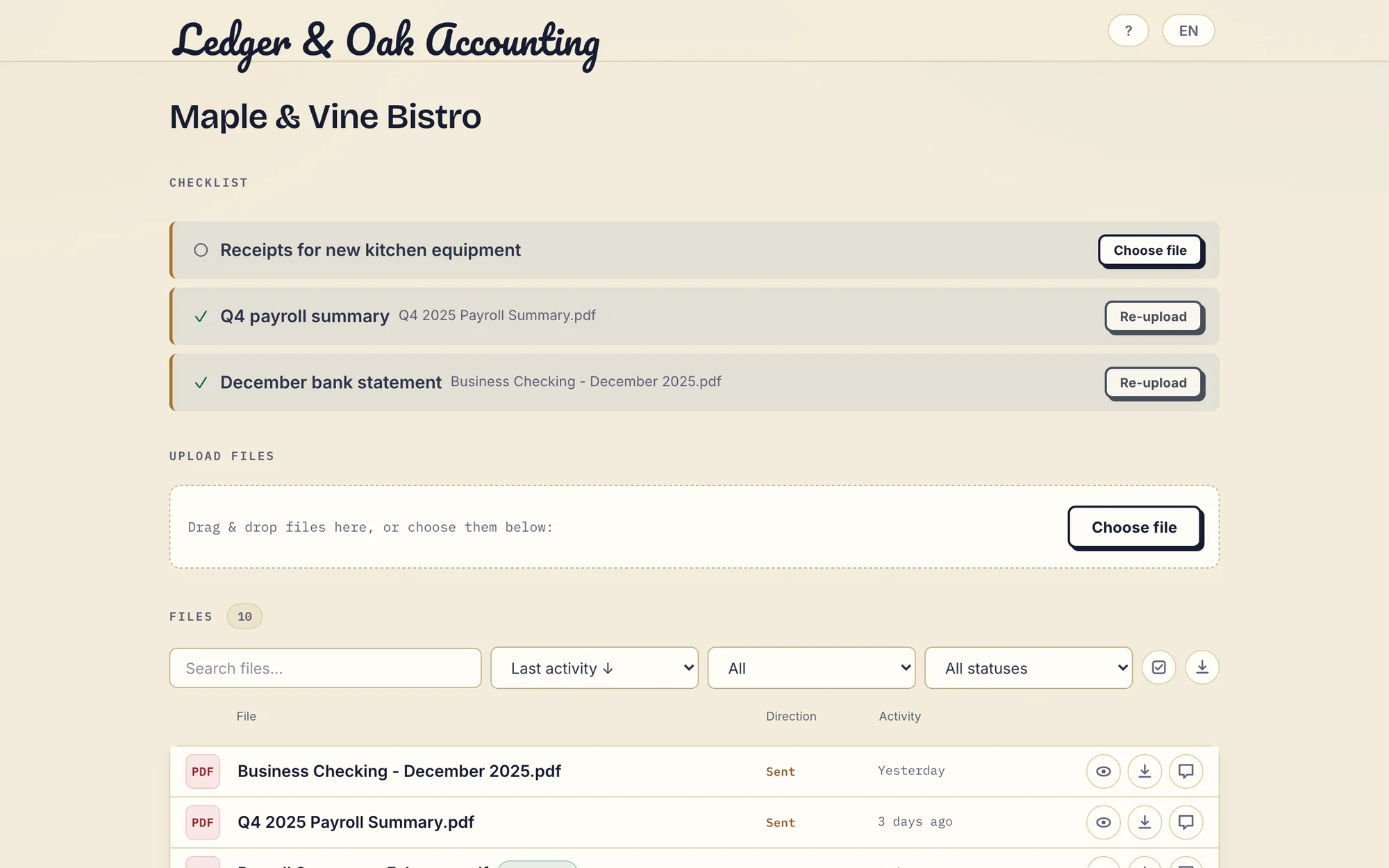
Fictional demo client. Inspect the client view.

- No client signup required
- In-browser PDF signing
- EU-hosted · GDPR-aligned
- Monthly or annual billing · Cancel anytime
- Clients can upload from a phone
- 3 clients free
A missing document. A clear request. A reply in the right place.
Follow a month-end exchange between Ledger & Oak Accounting and Maple & Vine Bistro. These are real app screens with fictional demo data.
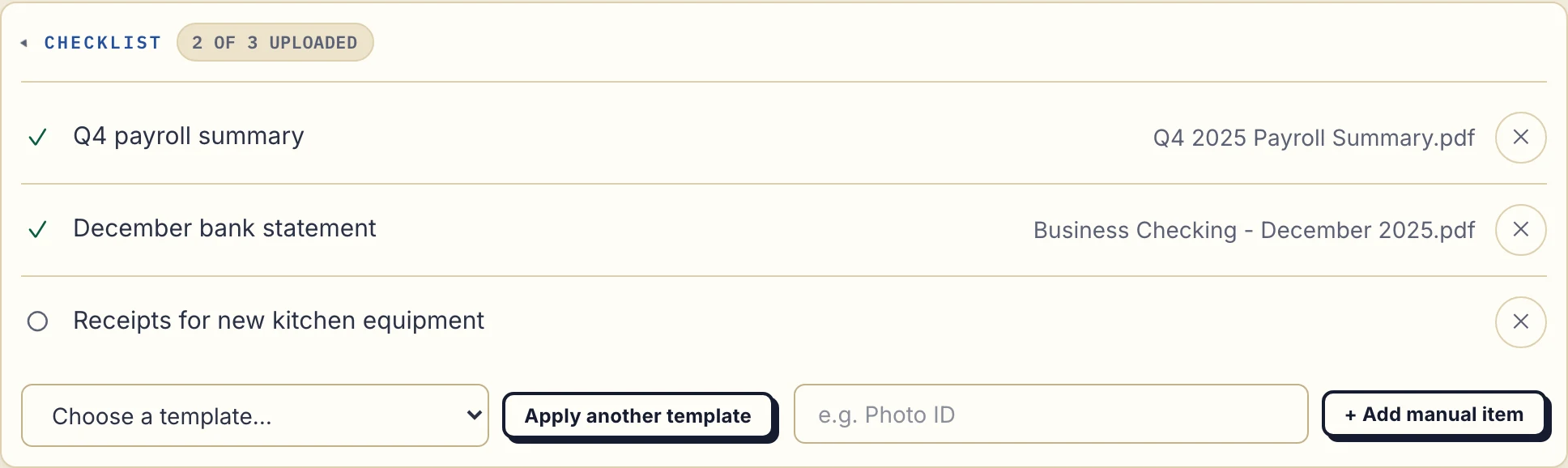
1. Ask for the documents you need
The payroll summary and bank statement have arrived. The equipment receipts are still missing. Your client sees the same request list in their own portal.
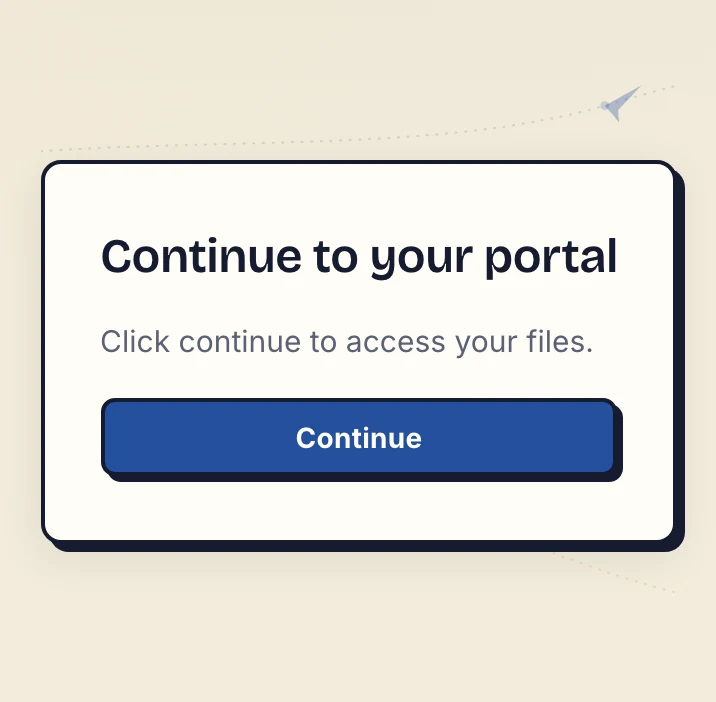
2. Your client opens the emailed link
On a new device, the default Strict access mode verifies the client's email. They open the link sent to that address and select Continue. There is no client account, password or app to create.
The verified browser is remembered for 90 days. That access period is separate from how long a file is kept.
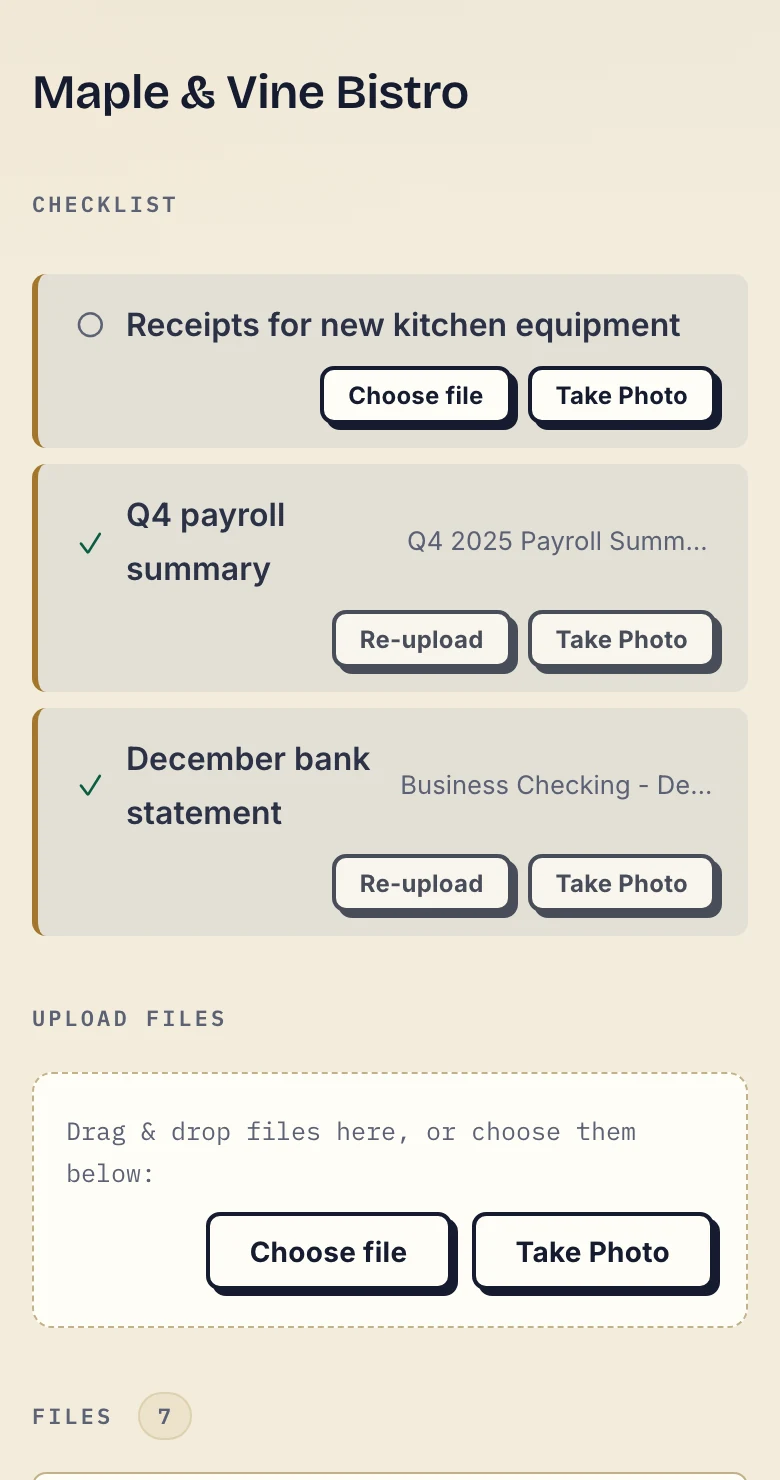
3. They upload a file or photograph the paper
The missing receipt has a Choose file button and, on a phone, Take Photo. Your client can respond where the request appears instead of starting another email thread.
Ask for every page and a readable image. A successful upload tells you a file arrived; you still review whether it is the right document.
4. Explain a correction and send work back
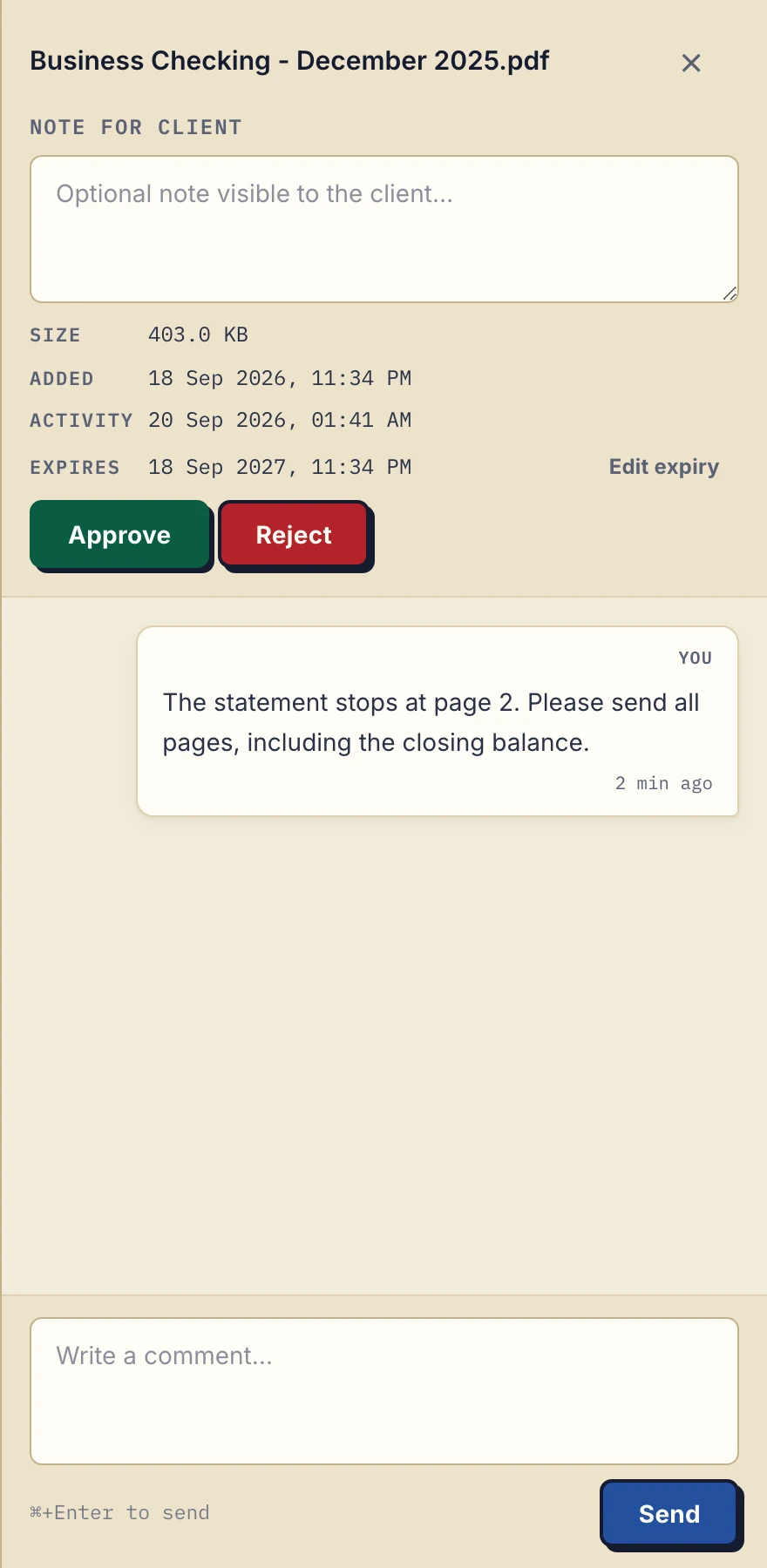
A statement is incomplete. Leave the correction on that file: “Please send all pages, including the closing balance.” The client can find the request beside the document.
When your work is ready, upload the report or return to the same portal. Files go both ways. Either side can mark a file Approved or Rejected; that status is not proof of reading or a signature.
Clear for you
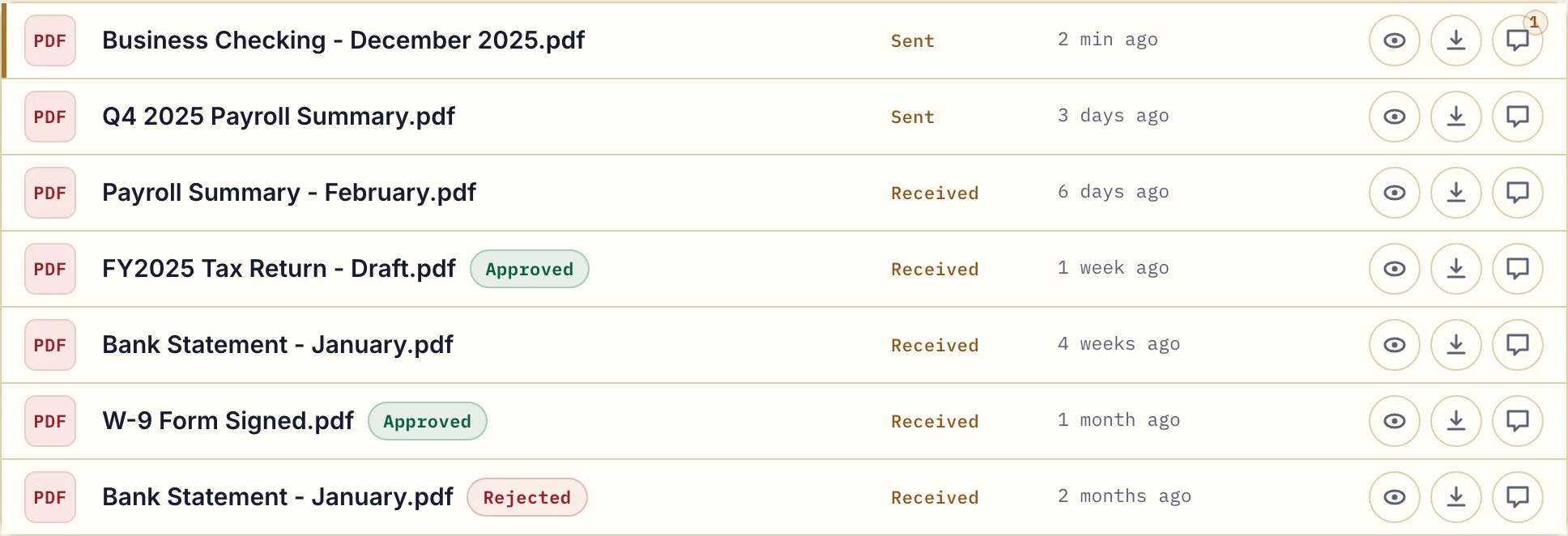
See every client in one dashboard.
Find a client, open their documents and see their latest activity. Reports, forms and replies stay organised by client instead of scattered across your inbox.

- Every client in view. See document counts and recent activity without opening email threads.
- Find the right client. Search by name or sort by latest activity.
- Private for each client. Clients see their own documents, never another client's.
- Protected documents. Encrypted in transit and at rest, stored on servers in Germany.
Easy for your clients
The document and the conversation, together.
A question about a report? A form that needs correcting? Leave a comment on the document itself. Both of you can find the answer without piecing together an email thread.

- Send and receive. Share reports and collect forms, statements or IDs in the same place.
- Take a photo. On mobile, clients tap one button to photograph a document straight into the portal - no scanner, no app.
- Questions in context. Comments stay with the document they belong to.
- Clear feedback. Either of you can mark a document Approved or Rejected and explain why in a comment.
- Control how long files stay. Set an expiry date for a file without removing the client or their access.
When you need several documents
A simple list, fewer follow-ups.
Need a statement, ID and a signed form? Add a checklist to the same client page. They see what to send, and you see what is still missing. Use it whenever a list would help.
List what you need
Bank statements, ID, a signed engagement letter. Each client gets their own list, and you can reuse a saved template.
See what is still missing
Your client sees what they have sent and what is still needed, all on the same page.
Let a reminder do the chasing
After 7 days without client activity, they get an email naming the missing items. After 14 days, it comes to you instead.
On every plan, reminders on by default. See how document checklists work →
When a document needs a signature
Send a PDF. Get a signed copy back.
Your client can sign a PDF in their browser without printing or scanning it. Both you and your client can type, draw or upload a signature. Clients verify their email before signing, and the signed copy stays alongside the original.
Included on every plan. Signing records who signed and when; it is not a qualified electronic signature. See how PDF signing works →
Use cases
For businesses that work with client documents.
From the first form to the next report, give each client a familiar place to return to. Built for everyday document exchange, with comments, checklists and PDF signing included even on Free.
Accounting
Source documents in, returns and annual accounts out, for accountants, tax advisors and bookkeepers.
Legal
Engagement letters, IDs and signed documents, one private portal per client.
Mortgage Brokers
Collect income docs and signed disclosures, applicant by applicant.
Agencies
Deliverables out, feedback and approvals back, the same way for every client.
Financial Advisors
Statements, ID and signed paperwork collected per client, without email attachments.
Fits alongside your existing tools
Change how you exchange documents.
Keep your accounting, billing and project tools. Use Droplana for the documents you send to clients and need back from them. It is a place for that exchange, not a backup drive or a long-term archive.
Compare Droplana with email, shared drives, messaging apps, ShareFile, SmartVault, Clinked or WeTransfer.
Pricing
Start free. Grow with your business.
Free
€0/month
Just you
3 clients
2 GB storage
Up to 100 MB per file
Solo
€19/month
€190/year
Just you
Unlimited clients
50 GB storage
Up to 1 GB per file
Practice
€49/month
€490/year
Team size: 5
Unlimited clients
250 GB storage
Up to 2 GB per file
Studio
€99/month
€990/year
Team size: Unlimited
Unlimited clients
1 TB storage
Up to 5 GB per file
On Free, each file expires 180 days after upload. Your clients and their access stay active, so you can keep sharing new files. Active paid plans have no plan-imposed retention limit. Expiry settings, deletion and cancellation rules still apply; a persistent portal address does not guarantee permanent file availability. Team sizes include you. No setup fees or automatic overage charges. Prices exclude applicable tax.
Compare plan detailsQuestions before you start
What is a client document portal?
A client document portal is a private web page where you and your client exchange documents. Instead of searching email attachments, you both return to the same place. Droplana adds comments, approvals, document checklists and in-browser PDF signing.
Do my clients need to sign up?
No. Clients open their private page and, by default, verify their email on a new device. There is no signup form, password or app to install. Clients never pay.
Which languages does Droplana support?
The app is available in English, German, French, Spanish and Italian. Every screen, error message and email shows in the reader's own language, for you and for your clients.
Do I need to move my work into Droplana?
No. Keep your existing tools for accounting, projects and billing. Droplana handles the client document exchange, and files do not sync automatically with other tools. If you want more, an AI assistant or automation tool can connect through Droplana's MCP server.
What can I try for free?
Free includes three clients, 2 GB of storage and files up to 100 MB. Each file expires 180 days after upload; your clients and their access stay active. Comments, document checklists and in-browser PDF signing are included. No credit card is required.
From the blog
Help with sharing and collecting client documents
-
How to Share Files With Clients Without the Chaos
To share files with clients, give each client one place to receive documents, send files back and leave feedback. A simple client portal keeps that exchange together without asking you to set up…
Read post → -
How to Collect Documents From Clients Without a Scanner
To collect documents from clients without a scanner, accept an original digital file or a readable photograph where it suits the request. Give the client one return location, name every required page…
Read post → -
GDPR-Compliant File Transfer and Sharing With Clients
GDPR-compliant file transfer and file sharing with clients comes down to a few checks: a Data Processing Agreement with the tool, a known storage location, access that only the right client has, and…
Read post → -
Sign and Return: Get Signed Contracts Back From Clients
To get signed contracts back from clients, give them one place to sign and return the document. The client signs the PDF in the browser, or uploads a copy they already signed on paper, and it lands…
Read post → -
A Client Portal Without Project Management
A client portal without project management gives clients a place to receive deliverables and send documents back while your team runs tasks elsewhere. Droplana is a client document portal with…
Read post → -
Client Onboarding Document Checklist (By Profession)
A client onboarding document checklist tells your client what to send, which period it should cover and what makes each item complete. Keep it to the documents needed for the agreed work, with one…
Read post →