
Renovation Progress Updates With Photos and Reports
Share renovation progress with dated photos, a short PDF update and one clear question for the client. Includes a weekly update template you can reuse.
Product demonstration: Product captures use fictional data. Sample requests and project messages are illustrative, not customer results.
Share renovation progress with dated photos, a short written update and one clear question when the homeowner needs to decide something. Agree when you will send updates so the client knows where to look between calls.
Droplana is a client document portal: each homeowner gets one private portal where your weekly update, its photos and their questions stay together, and where they can send photos or documents back from a phone.
Client update template
Open the editable progress update (plain text). Fill in what is complete, what is planned next, any decision needed and the filenames of the photos or PDF you have shared. Set the next update date yourself.
Illustrative weekly message: "This week we fitted the garden-room window frames. Courtyard - Windows - 2026-09-21.jpg shows the inside view. Please comment on Courtyard - Window options - Rev B.pdf about the handle finish by our agreed date. Trim delivery is unconfirmed. The next update is planned for 28 September."
You write and send the message yourself; Droplana does not generate project reports, and a download shows that a file was opened, not that the client understood or agreed to it. Use the naming and caption worksheet to keep references clear.
Share renovation progress in photos and a PDF
Upload your written update from the business view with the photos it references. Keep questions on the relevant file rather than using a general project comment thread; Droplana comments are per file.
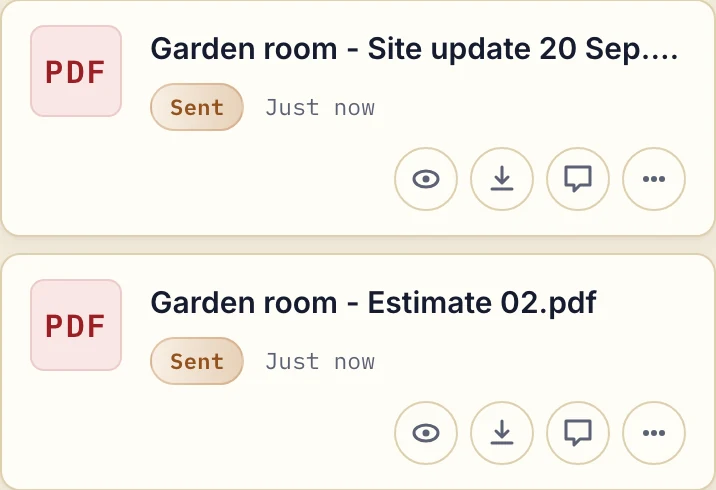
Actual product view with fictional demonstration PDFs. The business prepared the report outside Droplana and supplied it as a file.
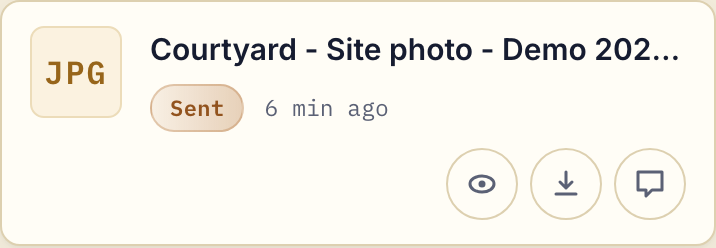
Actual product view after a demonstration image upload through the phone input. With uploads enabled, a homeowner can return another view of the area being discussed.
Text messages and email attachments can carry an update. A portal gives repeated file exchanges a consistent home, but naming, explanations and sending the message still need your attention.
Photograph the stages the client needs to understand
Use before photos for the initial visible state. At later stages, show the part of the work you want to explain, options needing a decision and the completed visible result. Match angles where possible and explain what is outside the frame.
A photograph does not certify hidden work or replace a required site inspection. An upload date records uploading, not the camera capture time.
Ask for a decision on the right file
Name the options in a comment and give the agreed response date in your message. Ask the homeowner to reply on that file. A date in a comment is not an automatic approval reminder, work schedule or task assignment.
Approved and Rejected are reversible file markers: either side can set or clear them. There is no Awaiting approval state, and a marker does not prove that work was inspected, understood or accepted under a contract. Keep any formal change-order or completion process you need alongside the portal. For urgent questions or misunderstood details, a call or site conversation may still be needed.
Choose who can see the renovation files
Clients do not create a Droplana account. Strict mode is the default and requires email verification on a new device. One portal belongs to one client; contacts added to it share its files, without per-project or per-file access roles. Check access before collecting images of private rooms, and avoid unrelated people and property details. Naming several renovation jobs inside one client's portal does not isolate their files.
Free includes 3 clients, 2 GB total storage and 100 MB per file. Solo costs €19/month plus tax for unlimited clients, 50 GB total and 1 GB per file. Clients do not pay. Compare the other plans and annual billing on the pricing page.
Use the contractor workflow to try a weekly PDF, its photos and a returned question with one homeowner.
Questions before you start
What should a weekly renovation update include?
Name the work completed, reference the photos or PDF, state what is planned next and identify any decision or delay. Set the next update date yourself using the editable template.
Does Droplana reduce calls automatically?
No. It provides a place to exchange files and questions. The effect on calls depends on the project, the clarity of your updates and the client; reports and update messages are prepared manually.
How long are renovation files available?
Free keeps each file for up to 180 days from upload. Active paid plans have no plan-imposed retention limit, subject to expiry settings, deletion and cancellation. Keep required long-term copies separately; a persistent portal address is not an archive.