
Helping Clients Who Only Use a Phone Send Documents
Help phone-only clients verify access, choose a file or photograph paper, and check an upload. Includes a message to copy and camera and file-limit guidance.
Product demonstration: Product screenshots use fictional demonstration data; sample requests are illustrative, not measured customer results.
Clients who only use a phone need a request they can finish on that device. Say whether an existing PDF or a photograph is acceptable, explain email verification, and tell them how to check that the upload arrived.
Help clients who only use a phone get in
Droplana gives each client one private, persistent portal for sending documents and receiving files back. Clients do not create accounts or install an app. Strict mode, the default, requires email verification on a new device; a verified browser is remembered for 90 days. A stable portal address is different from a permanent access link, which is available only in Relaxed mode.
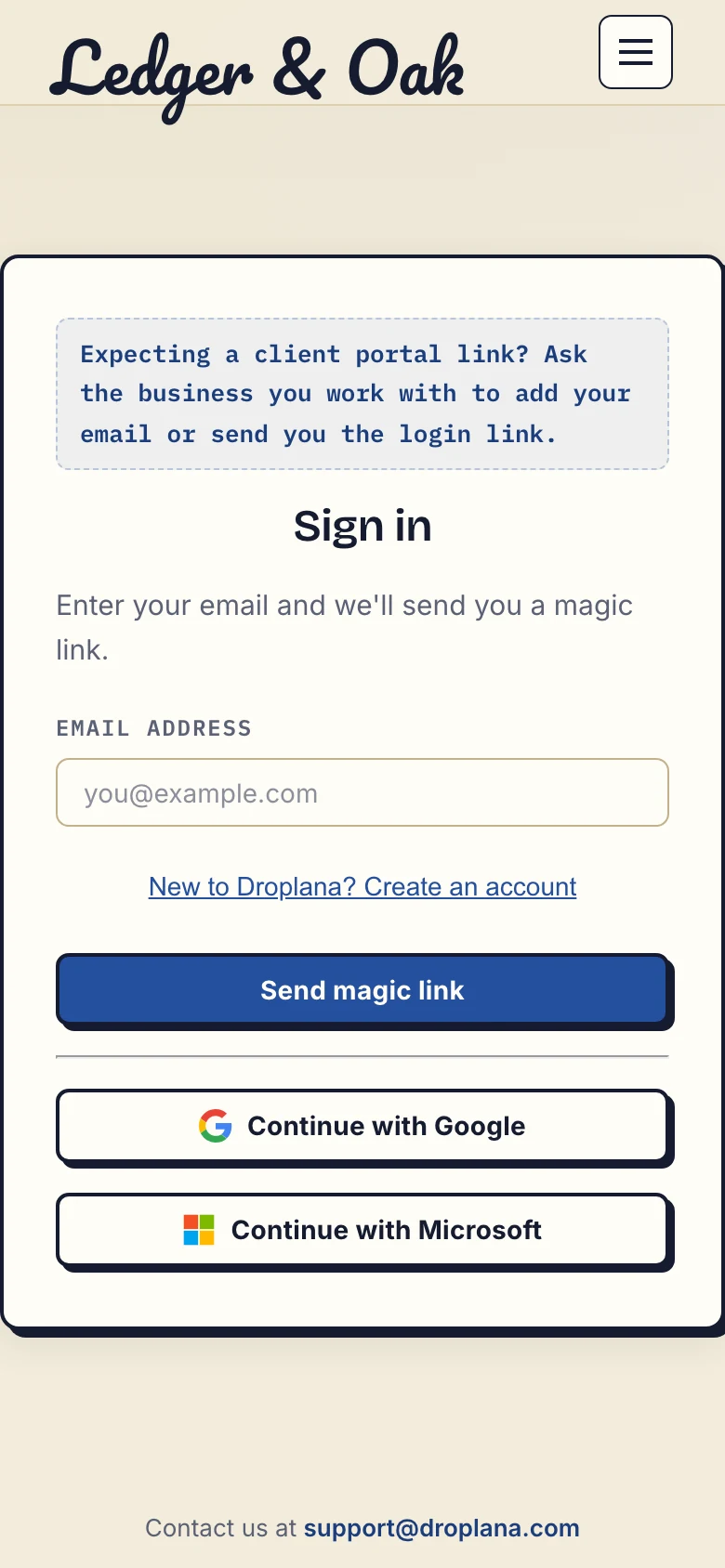
Product demonstration with fictional data. The fictional Ledger & Oak sign-in page starts email verification; clients do not use the business signup link.
Ask the client to use the email address your business has recorded for them. They open the emailed magic link and follow the confirmation to the portal. If access fails, check the address with them through your usual contact channel; do not ask them to forward a sign-in link.
Choose an existing file or photograph paper
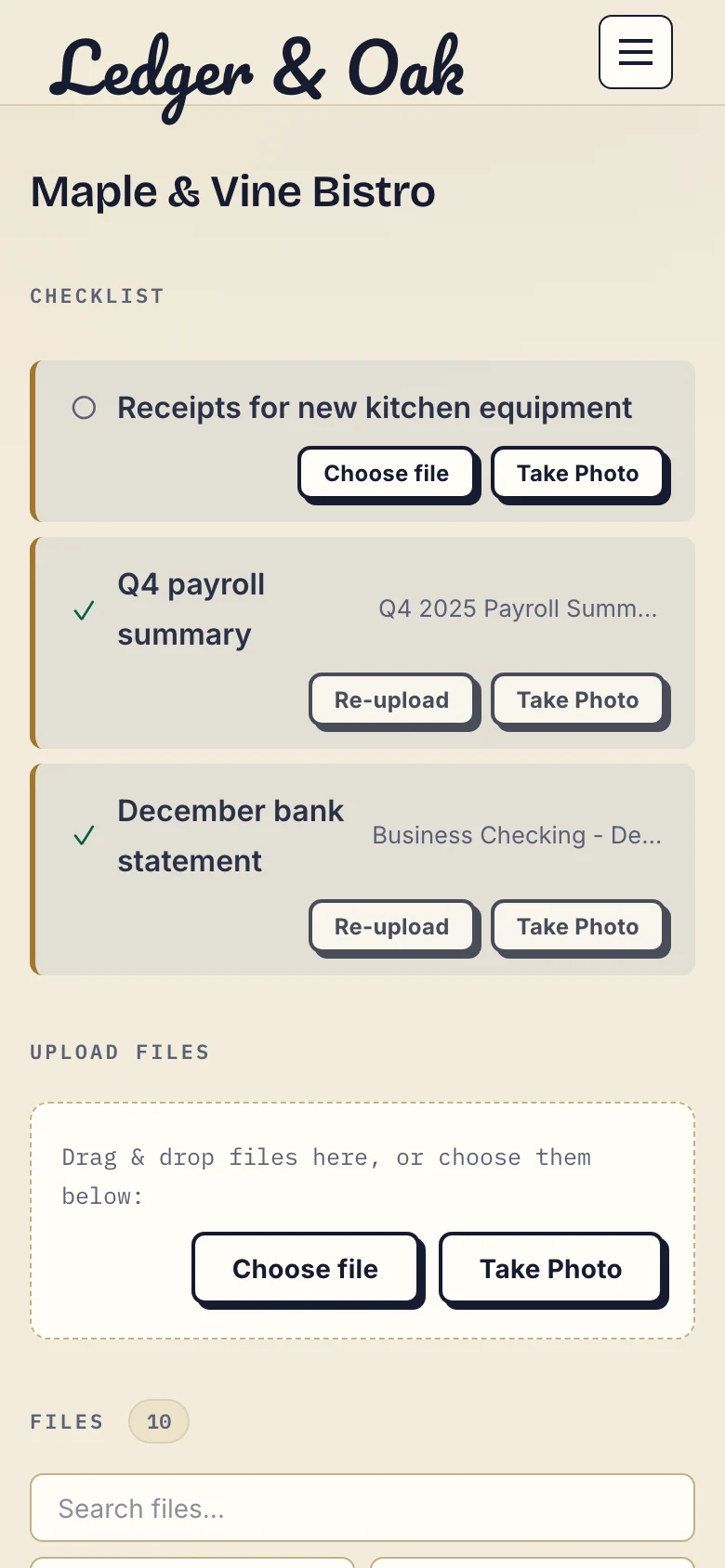
Product demonstration with fictional data. The client sees supplied payroll and statement items alongside the missing receipts.
For a digital statement, use Choose file and select the original PDF from the device. For paper, use Take Photo where an ordinary photo is acceptable. The camera or picker depends on the phone and browser. Allow requested camera or photo access only as needed; if capture is unavailable, take a photo in the phone's camera app and select it as an existing file.
Photograph each required page on a flat surface in good light. Include every edge and check that the smallest necessary text is readable. Do not ask the client to combine pages or rename files unless the receiving process requires it. Droplana does not merge photos, crop document edges or validate the document.
Check completion before closing the page
Wait for the upload to finish, then check the filename or supplied checklist item. The screenshot shows two supplied items and receipts still missing. An upload indicator is separate from the professional's review of page completeness and legibility.
If the upload fails, check the connection and file size before retrying; look for the file first to avoid duplicates. Client uploads must be enabled by the business. Free accepts files up to 100 MB; a full storage allowance also blocks new uploads.
Send this message with the request
Please open [portal link] on your phone and send [document, period and required pages]. No account or app is needed. On a new device, verify using the email address we have recorded for you.
Choose the original PDF if you have it. For this request, clear photos of every page are also acceptable. Use Choose file or Take Photo, wait for the upload to finish, and check that the item appears. If it does not, contact [name] rather than sending your sign-in link to someone else.
This is an illustrative message. If an original, certified copy or specific signing method is required, change the request accordingly.
Start with a file the client already has
Free costs €0 and supports 3 clients, 2 GB total storage, files up to 100 MB and one business owner. Each Free file expires 180 days after upload; the client and portal remain. Solo is €19/month or €190/year plus tax, with unlimited clients, 50 GB total storage, 1 GB files and one business seat. Active paid plans have no plan-imposed retention limit, subject to expiry settings, deletion and cancellation.
See plans and limits. Use the scanner-free document guide for a page-by-page review, or the accounting workflow for a recurring client relationship.
Questions before you start
Do phone clients need an account or an app?
No. They use their browser. Strict mode, the default, requires email verification on a new device; a verified browser is remembered for 90 days.
What if Take Photo does not open the camera?
Check the browser’s permissions. The available camera or picker depends on the device. The client can take a photo separately and upload the saved file with Choose file.
Does a supplied checklist item mean the photo is acceptable?
No. It shows an upload has been supplied. The professional still checks the required pages, legibility and whether that kind of copy is suitable for the request.